Built around
how you actually work.
A consultation has four moments: you read the chart, you answer the timing question, you prepare for the next session, and you stand by what you said. Expert mode is one instrument for each — on the same chart, in the same app your client reads.
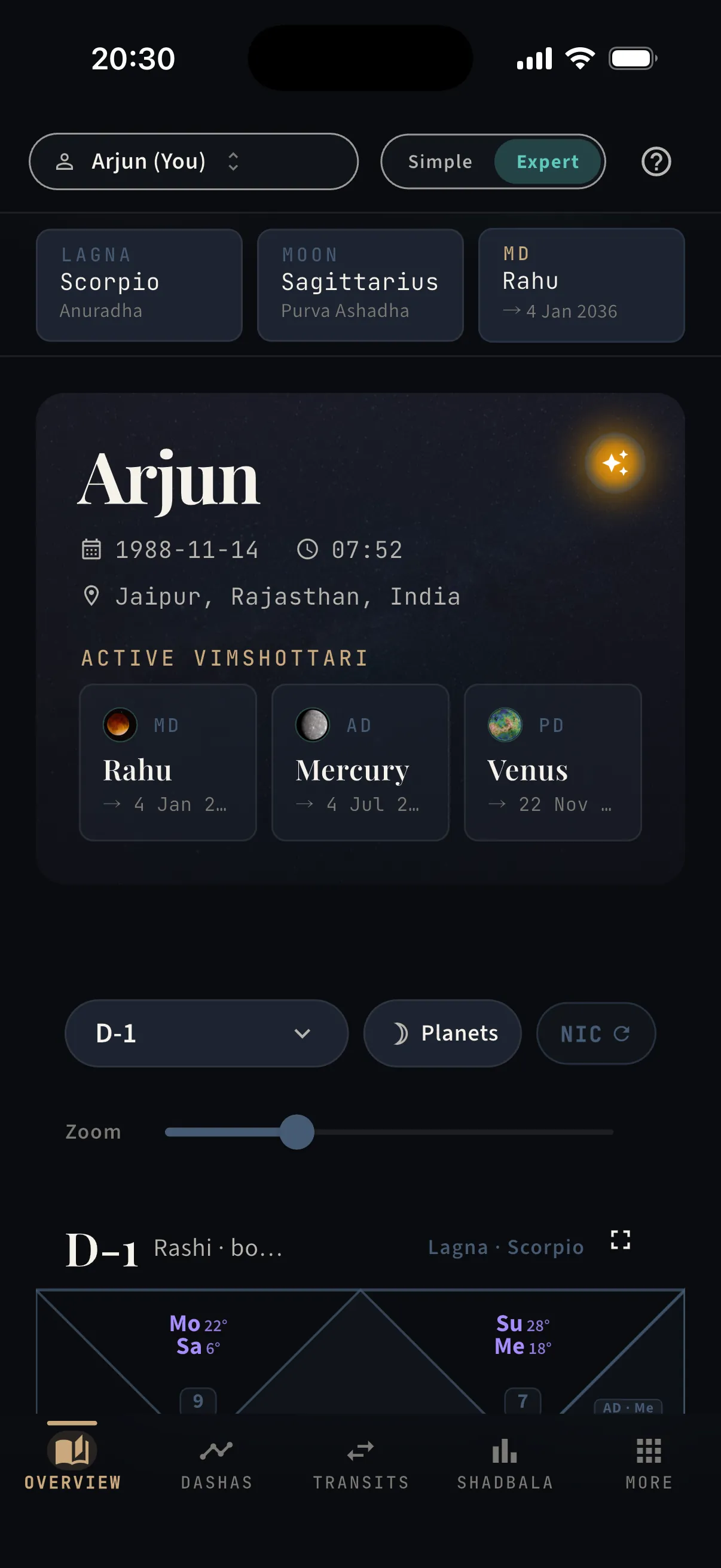
The client is sitting across from you. Nothing should make them wait.
Lagna, moon, and the running dasha stay pinned above the chart while you talk. The varga selector walks D-1 to D-60 without leaving the screen; dashas open three levels deep with exact dates; Shadbala is there when a judgement call needs a number. No second app, no PDF, no software voice talking over yours — the reading stays yours.
The chart itself, with everything a first read needs.
- ·The hero card: birth data and the active Vimshottari chain
- ·All sixteen vargas D-1 to D-60 plus Bhav Chalit, one selector away
- ·North or South Indian style, planet imagery or glyphs, zoom control
- ·The amber orb — the sky scrubber lives here
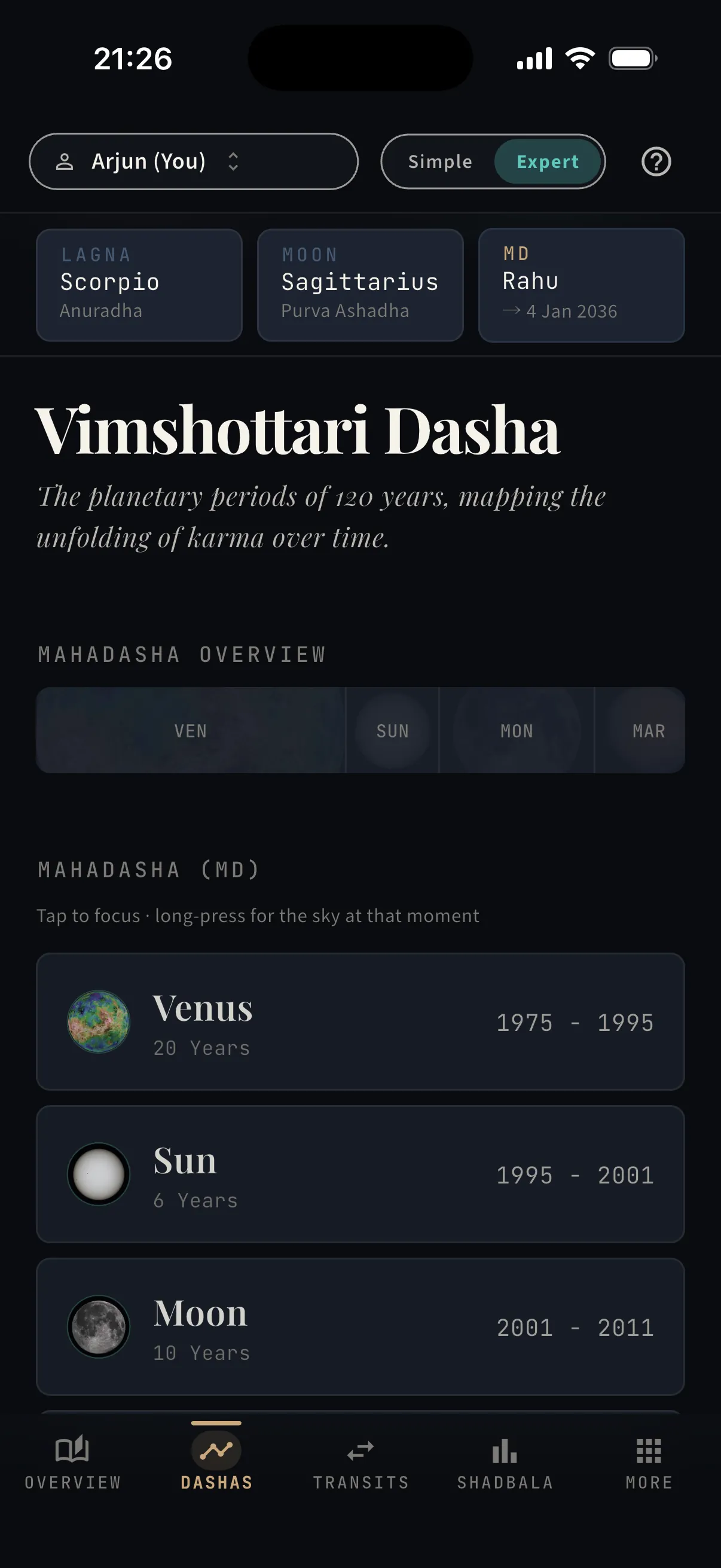
Vimshottari as a navigable tree — the 120-year map.
- ·Every Mahadasha with its span, strongest to weakest of a life
- ·Tap to open antardashas and pratyantardashas — exact dates on every node
- ·Long-press any period to see the sky at that moment
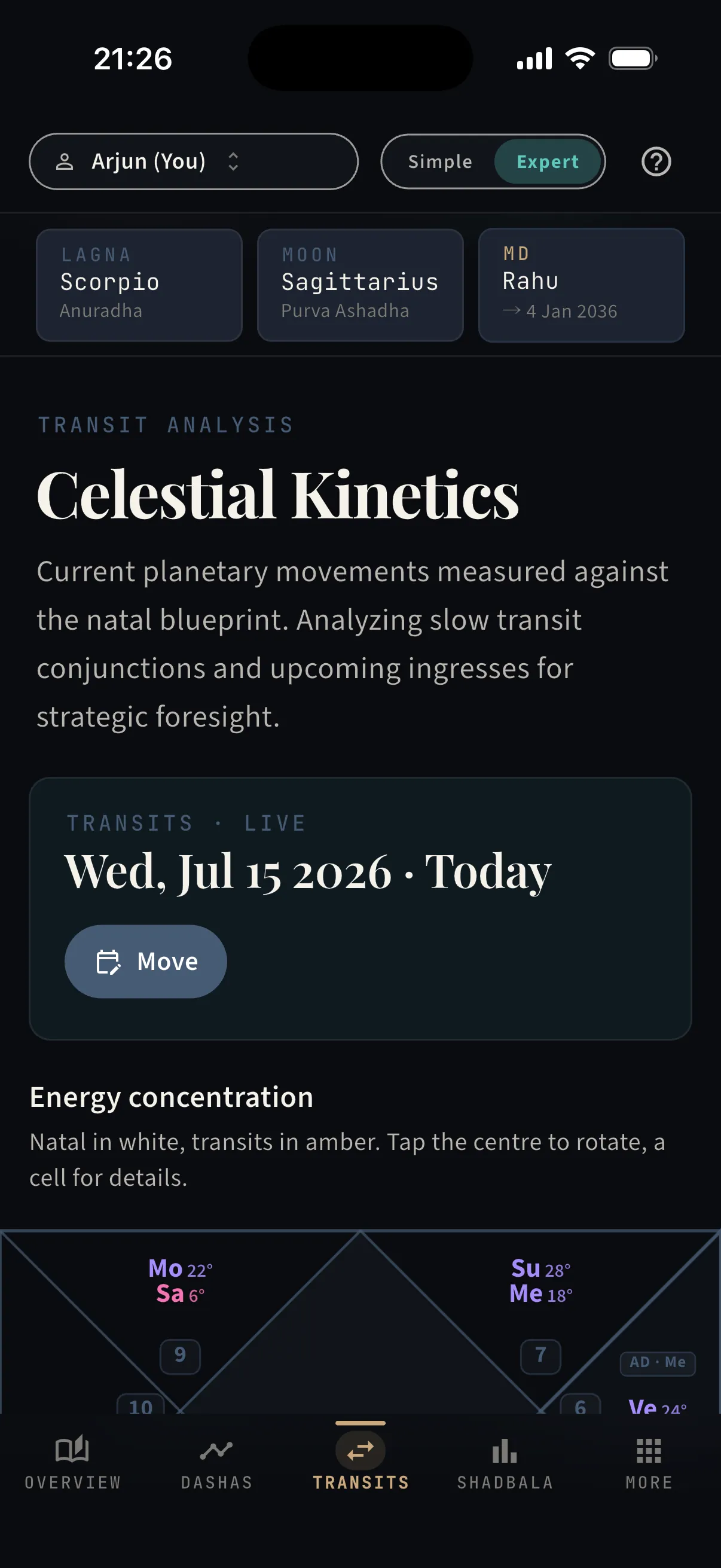
Today’s sky measured against the natal blueprint.
- ·Natal in white, transits in amber — one chart, two skies
- ·Move the analysis date to any day, past or future
- ·Slow-mover conjunctions and upcoming ingresses, orb-precise
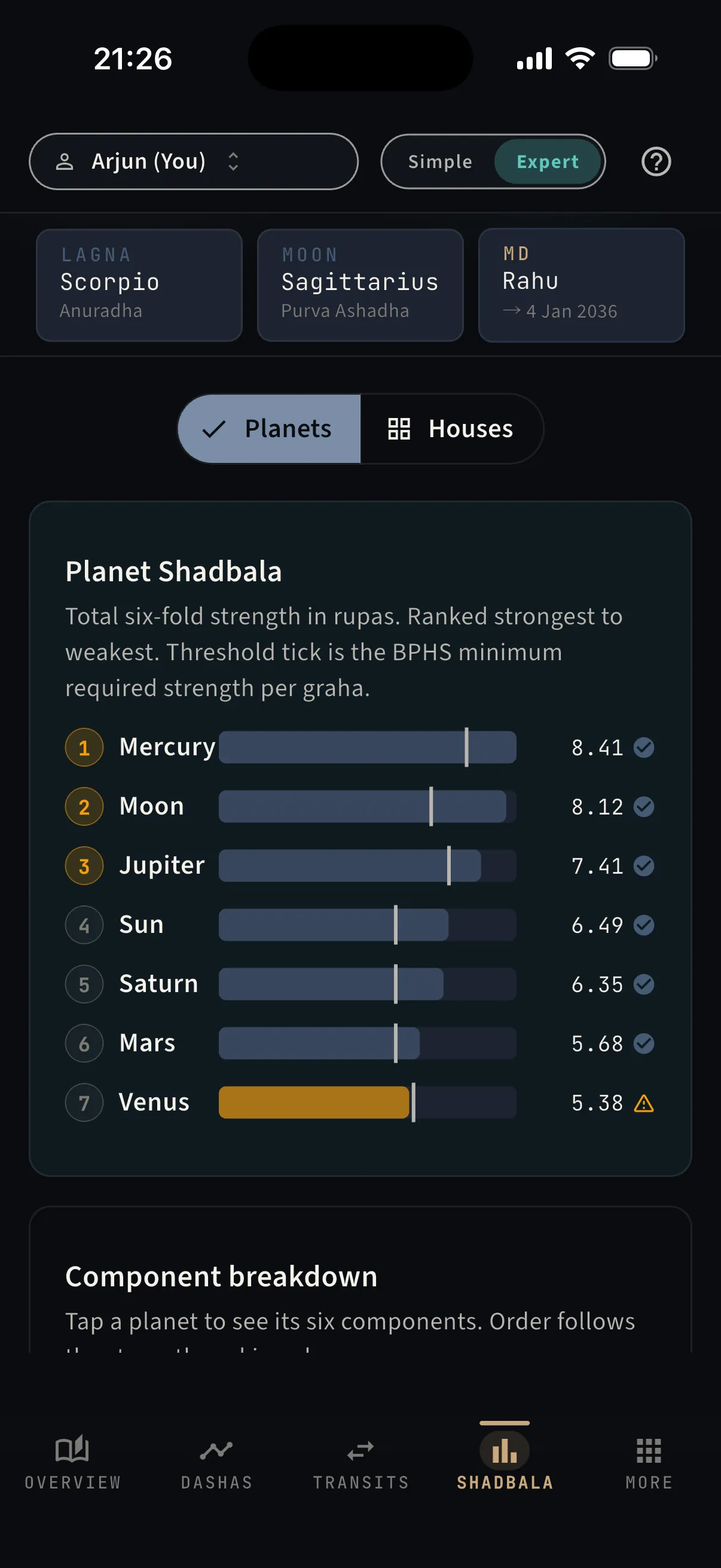
Six-fold strength — the numbers behind every judgement.
- ·All planets ranked by total rupas, strongest first
- ·The BPHS minimum-strength threshold marked on every bar
- ·Tap a planet for its six components; a Houses view for bhava bala
Every consultation arrives at the same sentence: “so — when?”
You have two ways to answer it here, and both end with a date on the screen — not a hedge. The first is a demonstration the client can watch: you drag the sky itself.
Hold time in your hand.
Drag it, and watch the sky move.
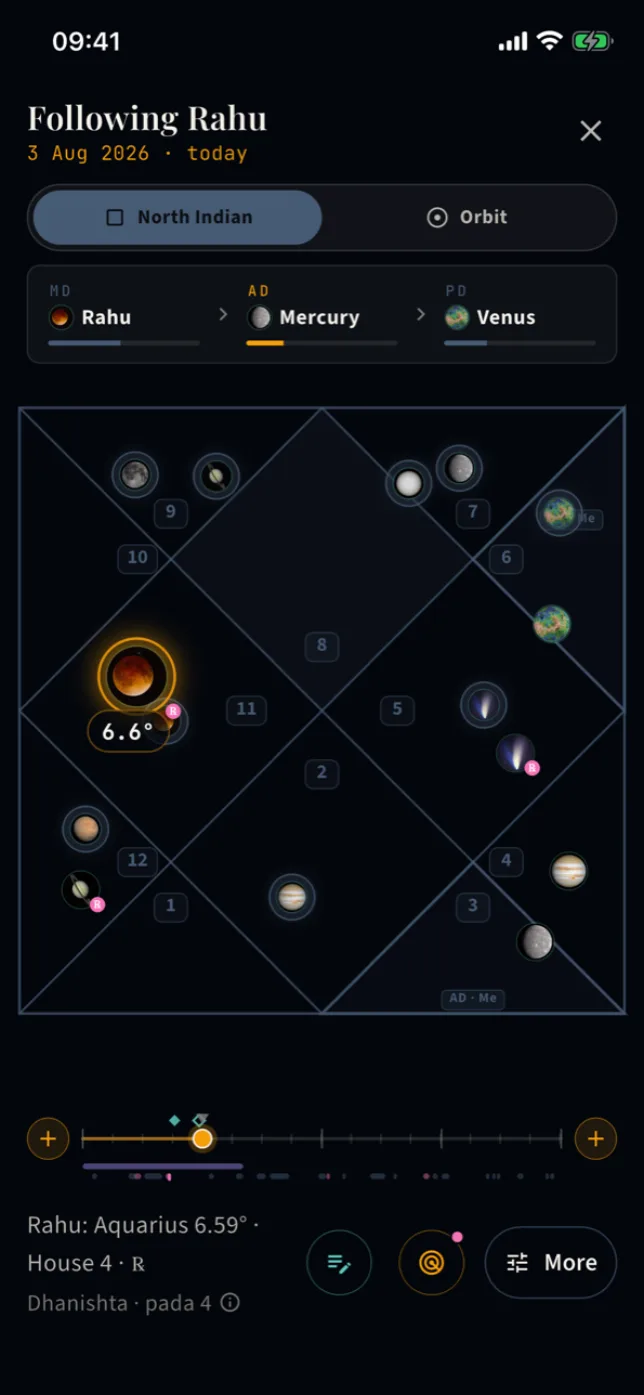
On the chart workbench there is a small amber orb, quietly pulsing. Press it, and the screen becomes the sky itself.
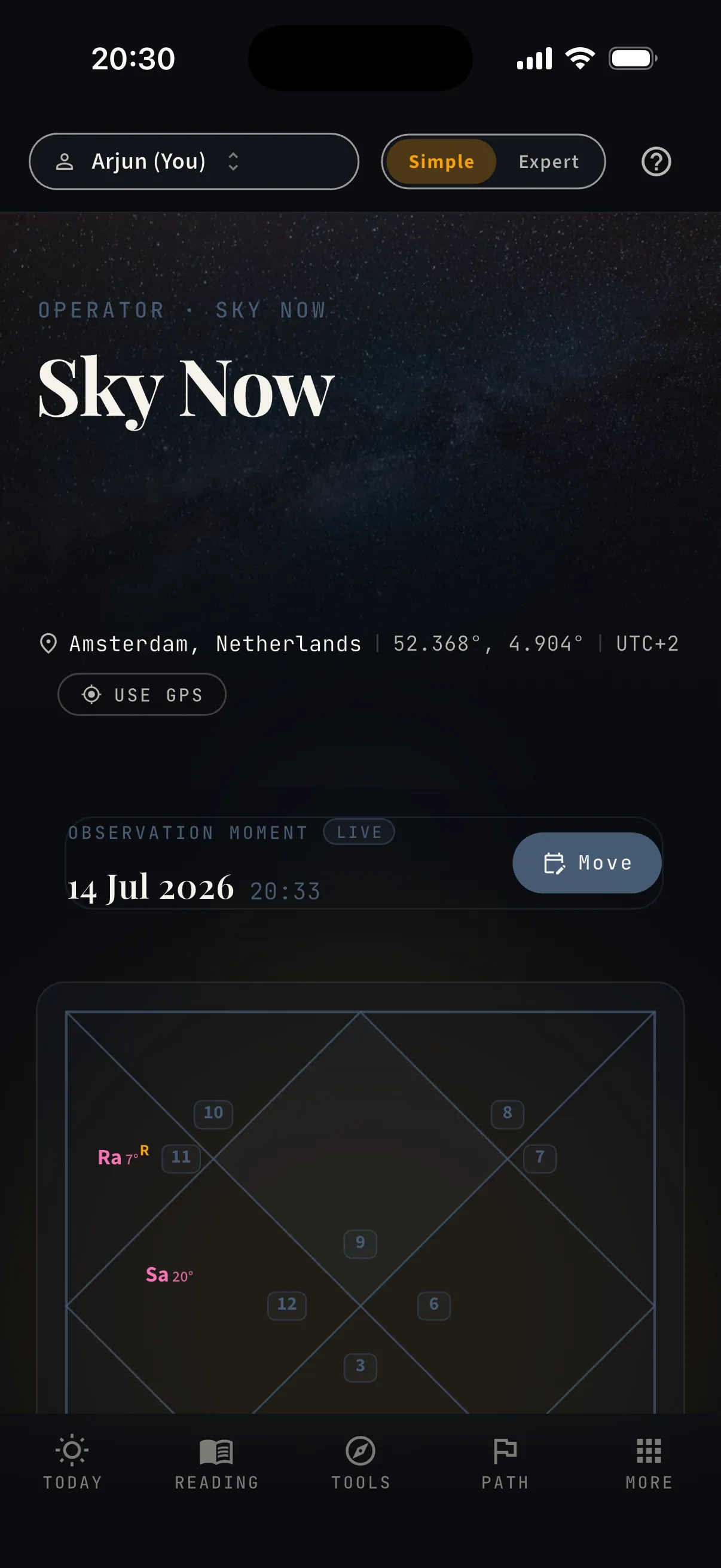
Drag left or right and time rolls under your finger — days, weeks, months. Every planet glides through the houses with its true motion, retrograde loops included, while your natal points stay pinned where they were born. The dasha clock at the top keeps pace: scrub into next spring and watch the sub-period change as you cross it.
- Real ephemeris positions for every day you cross — nothing sketched, nothing approximated
- Follow any planet, Sun to Ketu — its degree, nakshatra, and pada update as it moves
- The MD · AD · PD strip runs live while you scrub — watch a sub-period turn over
- Two frames: the North Indian diamond, or an Earth-centred orbit wheel
- Your natal points stay pinned — watch a transit apply to them degree by degree
- A fine-scrub slider under the chart for landing on an exact day
“When does Saturn reach my Moon?” used to mean tables and mental arithmetic. Here, you drag until it happens — the date is on the screen when it does.
Try the scrubber in the appNothing hidden — the whole room, one sheet away.
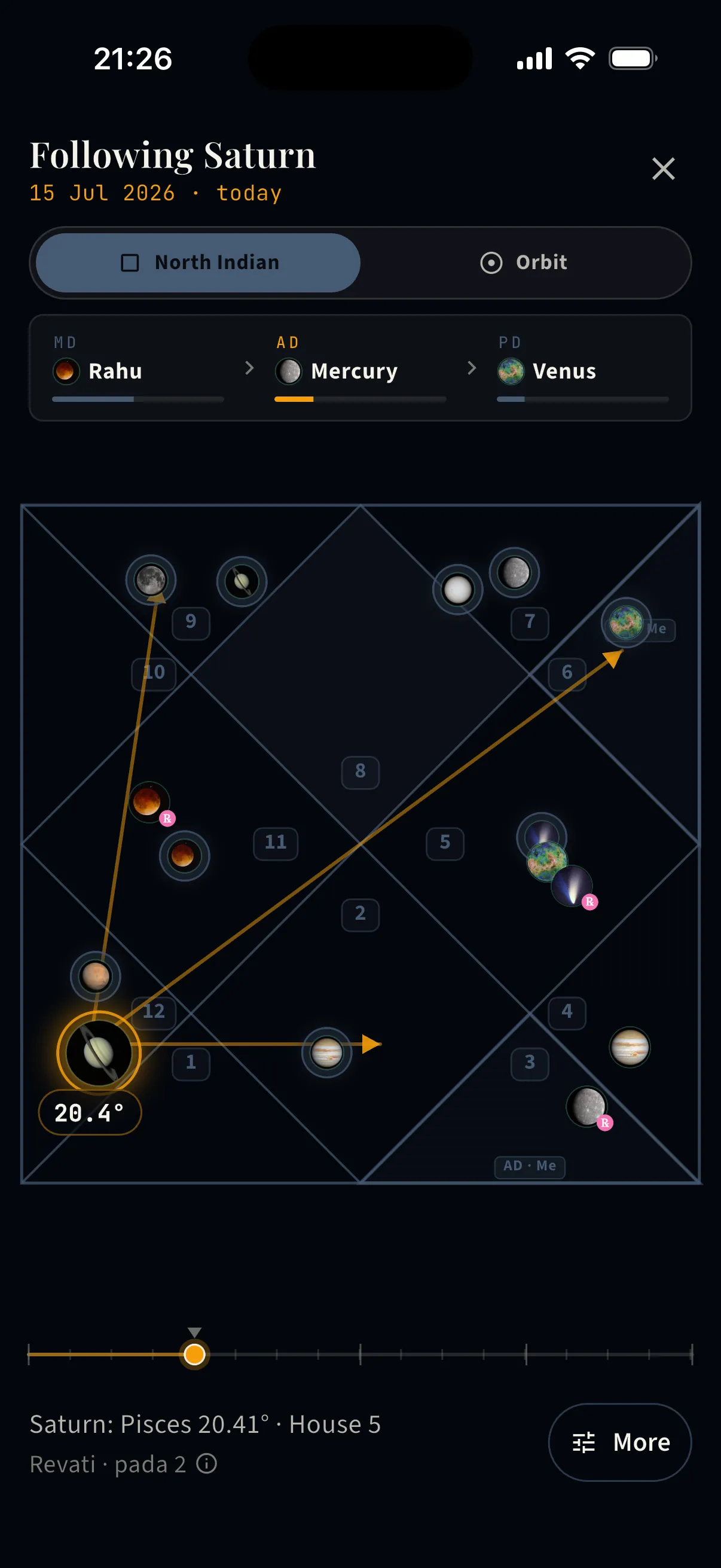
Following Saturn with drishti highlighted — its 3rd, 7th, and 10th aspects drawn as arrows that track the planet while time moves.
- ·Classical special aspects for Mars, Jupiter, and Saturn
- ·The followed planet stays haloed, with its exact degree
- ·Nakshatra and pada printed below, updating as it moves
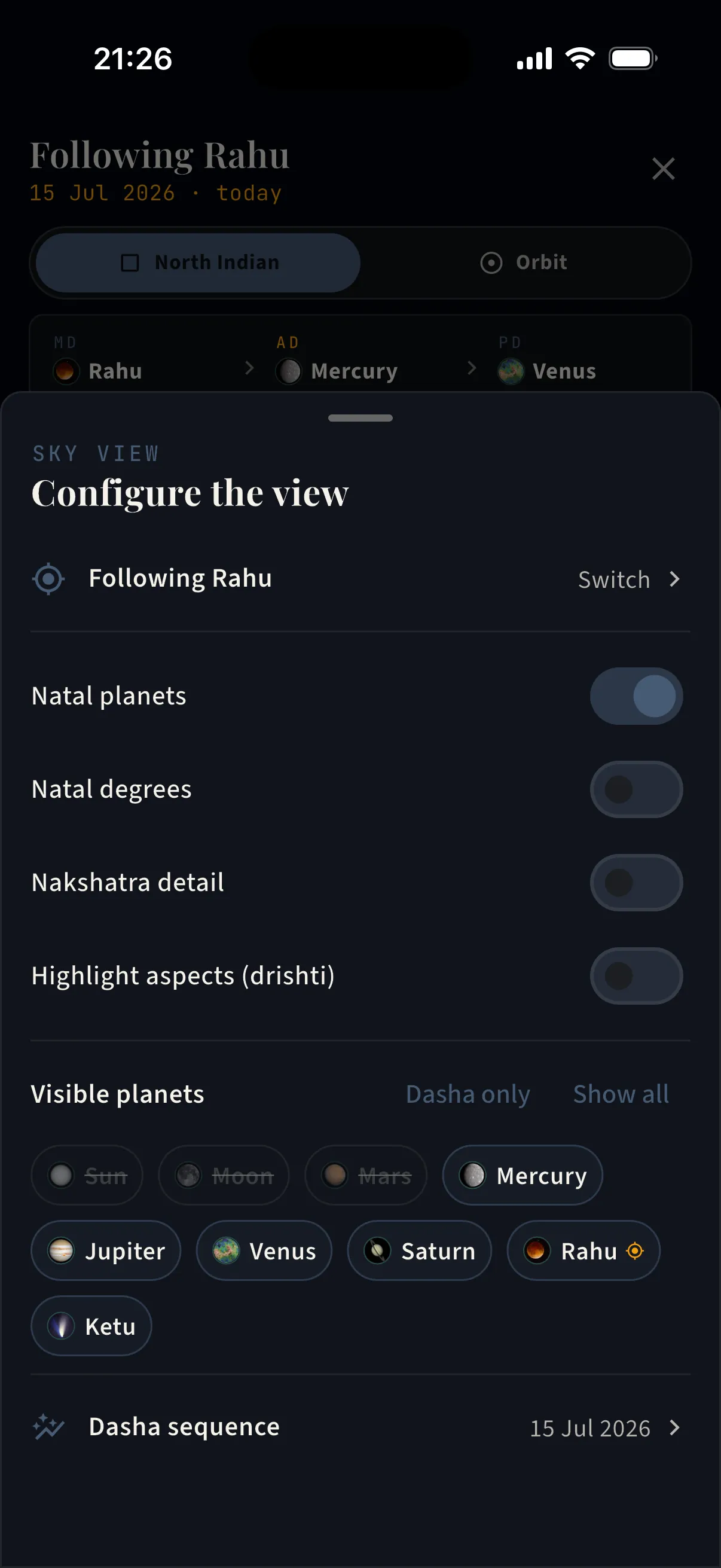
One sheet holds every option — set the sky up the way you read it.
- ·Switch the followed planet at any time
- ·Toggles: natal planets · natal degrees · nakshatra detail · aspect highlighting
- ·Choose visible planets — chip by chip, or “Dasha only” / “Show all” in one tap
- ·Jump into the full dasha sequence for the scrubbed date
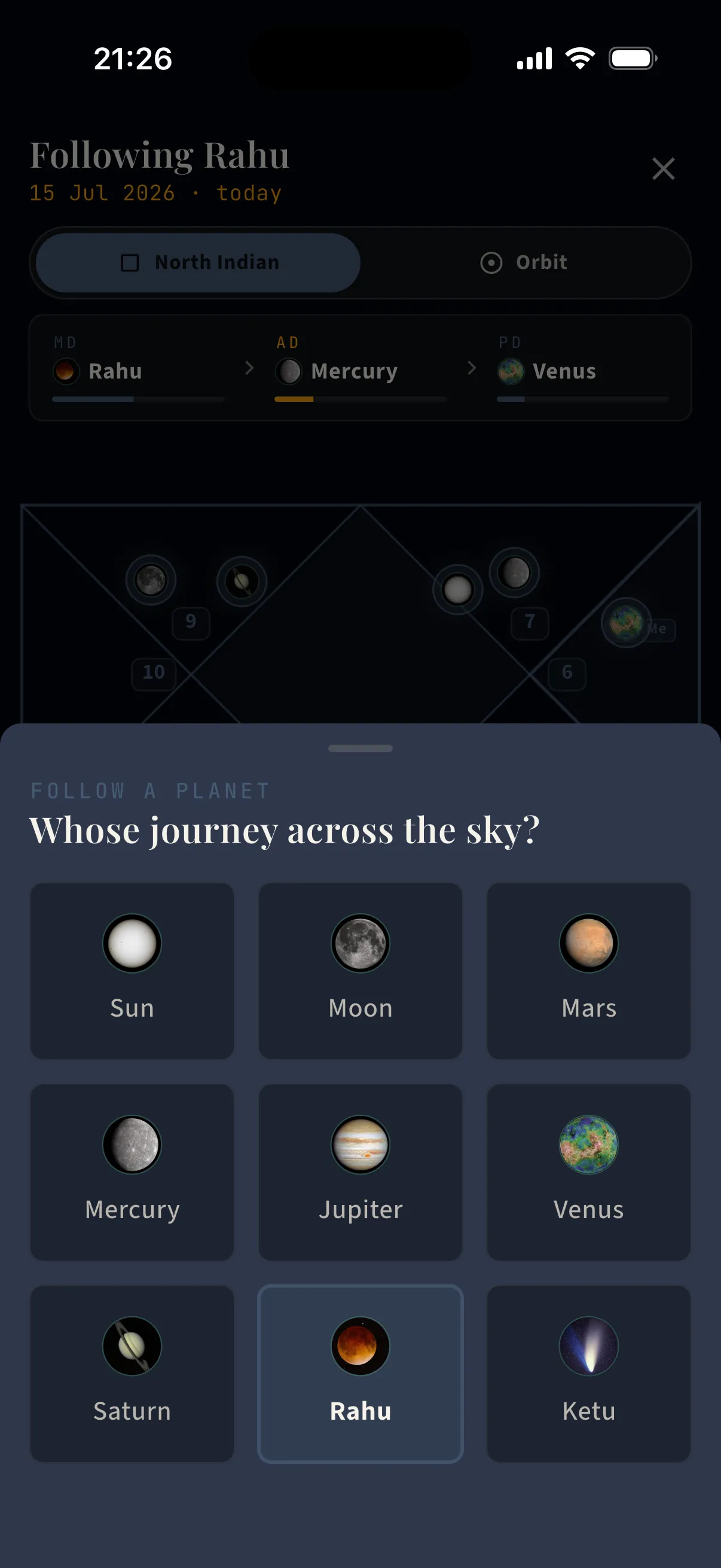
The follow picker — all nine grahas, one tap to ride along with any of them.
- ·Sun through Ketu, each with its real imagery
- ·The view re-anchors on the chosen planet instantly
- ·Its degree, sign, house, nakshatra, and pada stay on screen
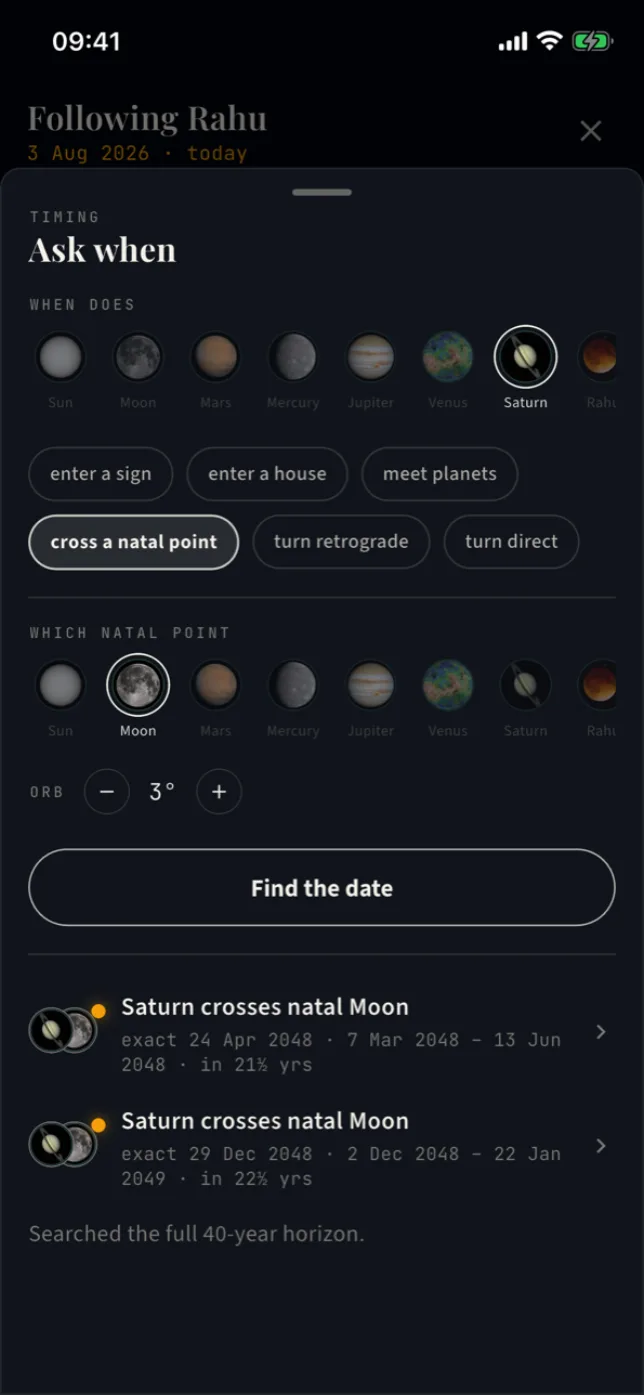
Or put the question
to the ephemeris itself.
“When does Saturn cross her Moon?” Compose it the way you'd say it — planet, question, target — and the next three dates are on screen in seconds.
Six question types cover the timing work of a session: enter a sign, enter a house, meet planets within an orb, cross a natal point, turn retrograde, turn direct. The search runs on the real ephemeris up to forty years out — past a full Saturn cycle, so no honest question comes back empty — and retrograde re-entries are listed as their own results, because to a practitioner they are. Tap a result and the scrubber stands on that date, chart recomputed, ready to read aloud.
What this replaces, you already know: the ephemeris tables, the mental arithmetic, the “let me come back to you on that.”
Walk into every session
already knowing what's coming.
You cannot re-scan thirty charts every week. The radar does it the moment a chart opens — and paints what it finds as colored bands on the time ruler.
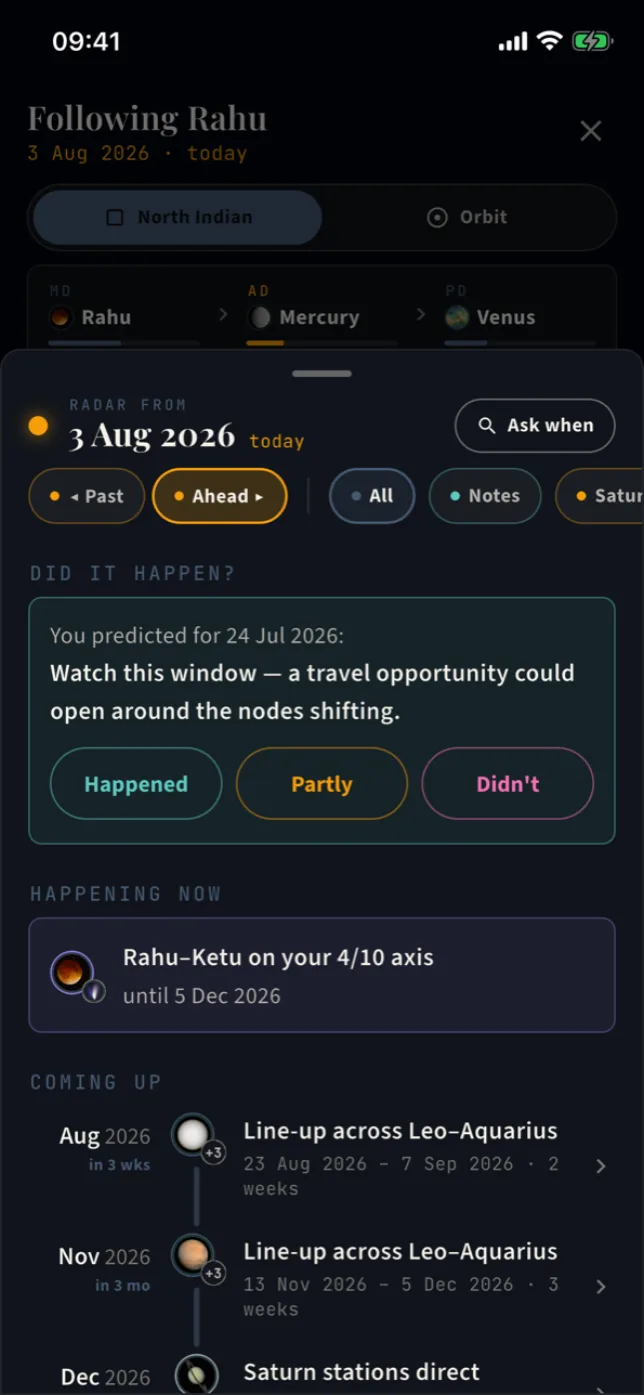
One glance before a call: Saturn is inside the Sade Sati arc with an exact crossing in March; the nodes sit on the 4/10 axis until December; a Mahadasha turns over next year. Open the radar and it reads as a timeline from today — each entry with its planet's face and a plain distance, in 3 weeks · in 2 years. And when a client says “last spring was hard,” flip the same radar to Past and see what was running.
- ·Saturn–Moon in amber, nodes on the angles in violet, clusters in rose, line-ups in steel — one color each, everywhere
- ·Faint bands are the season; brighter segments are the exact days, retrograde returns included
- ·Session prep in a minute: open the person, read the bands, done
- ·Tap anything and the scrubber lands on its date — show the client, don’t describe it
What separates a practice
from a performance? A record.
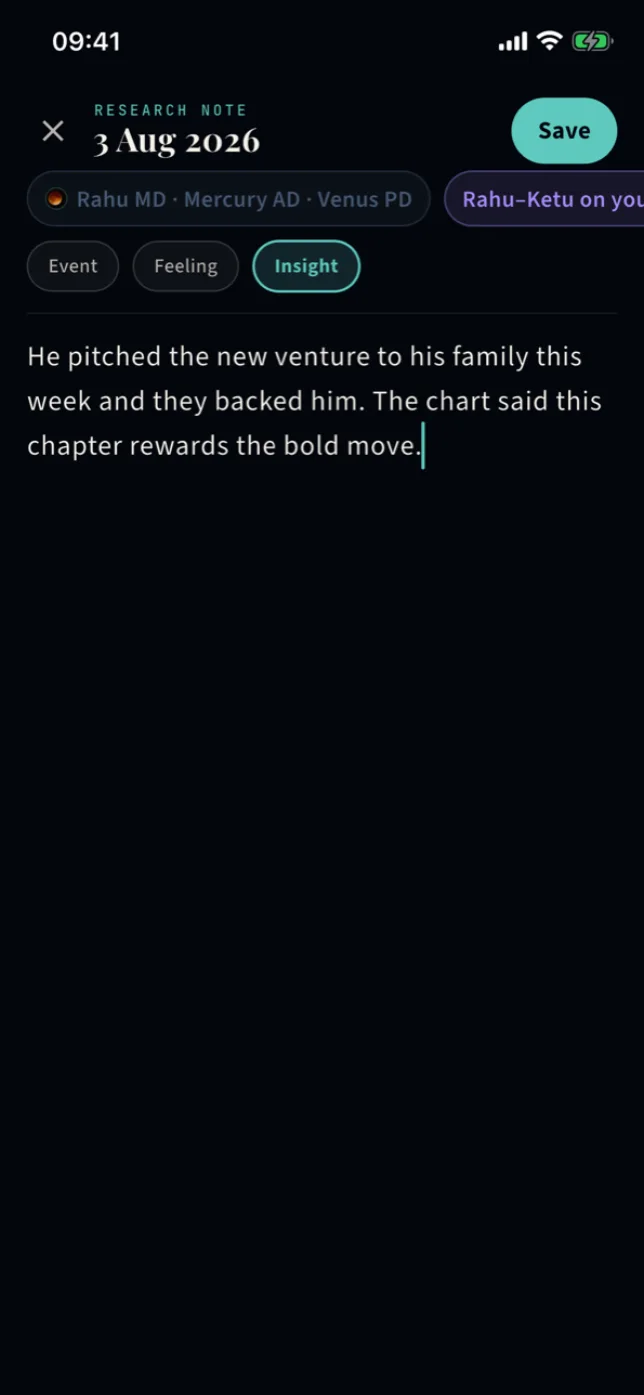
Standing on any date of any chart, one tap opens a page. You write the sentence — what happened, what you sense, what you expect. The app freezes the sky with it.
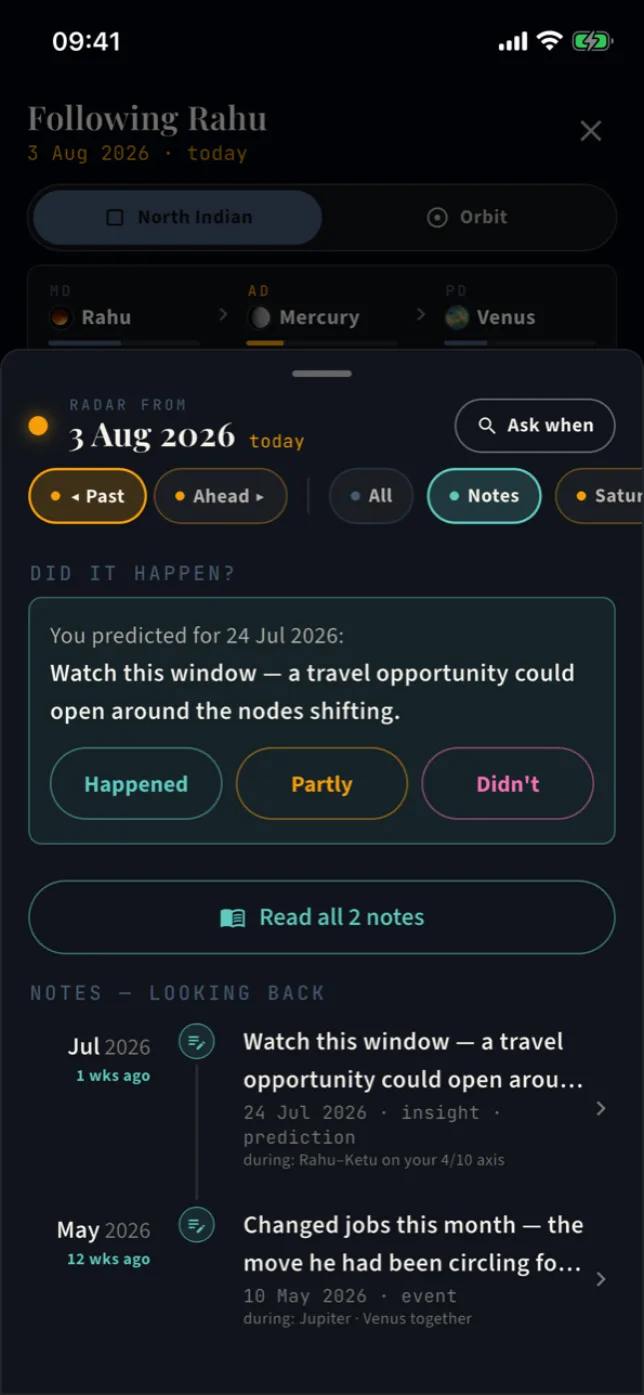
The running dasha, the active patterns, the followed planet — pinned to your words, per person, permanently. Marry a client's lived events to what the chart was doing, and your read of that chart sharpens every month. And when you commit to a call — a note on a future date — the app holds you to it: the day passes, and it asks, did it happen? Happened, partly, or didn't. The answer stays.
That honest ledger is what a client's trust is built on — and what your own judgement compounds on.
- ·Notes ride the radar timeline and mark the ruler — hide them with one tap for a clean hunt
- ·Event notes flow into the person’s formal timeline, the same record calibration reads
- ·Saved on the server per person — a new phone changes nothing
All of it stands on one deterministic ledger.
Every instrument above reads from the same computation — Swiss Ephemeris, Lahiri ayanamsa, whole-sign houses, computed to the degree. Nothing is sketched, nothing approximated twice.
The pattern radar
The scrubber watches the sky for you — Saturn around the Moon, the nodes on the angles, planets bunching up — and paints each window as a colored band on the time ruler.
“Ask when” — the timing finder
Compose the question the way you’d say it — when does Saturn cross the natal Moon? — and get the next three dates, searched up to forty years out.
Research notes & predictions
Pin a note to any moment of a chart, past or future. The sky is frozen with it, and a future note becomes a prediction the app asks you to verify when its date arrives.
The chart workbench
D-1 through D-60 — all sixteen vargas plus Bhav Chalit, in North or South Indian style, with the lagna, moon, and dasha anchors pinned above.
Vimshottari, three levels deep
Mahadasha, antardasha, and pratyantardasha as a navigable tree, with exact dates on every node.
Transits against the natal chart
Today’s sky over the birth chart, with applying aspects and orb-precise hits on natal points.
Shadbala
Six-fold planetary strength and bhava bala, computed per chart — the numbers behind every judgement call.
KP workbench
Krishnamurti Paddhati sub-lords, house significators, and number-based horary — kept separate from the Parashari system, as it should be.
Yogas & doshas, catalogued
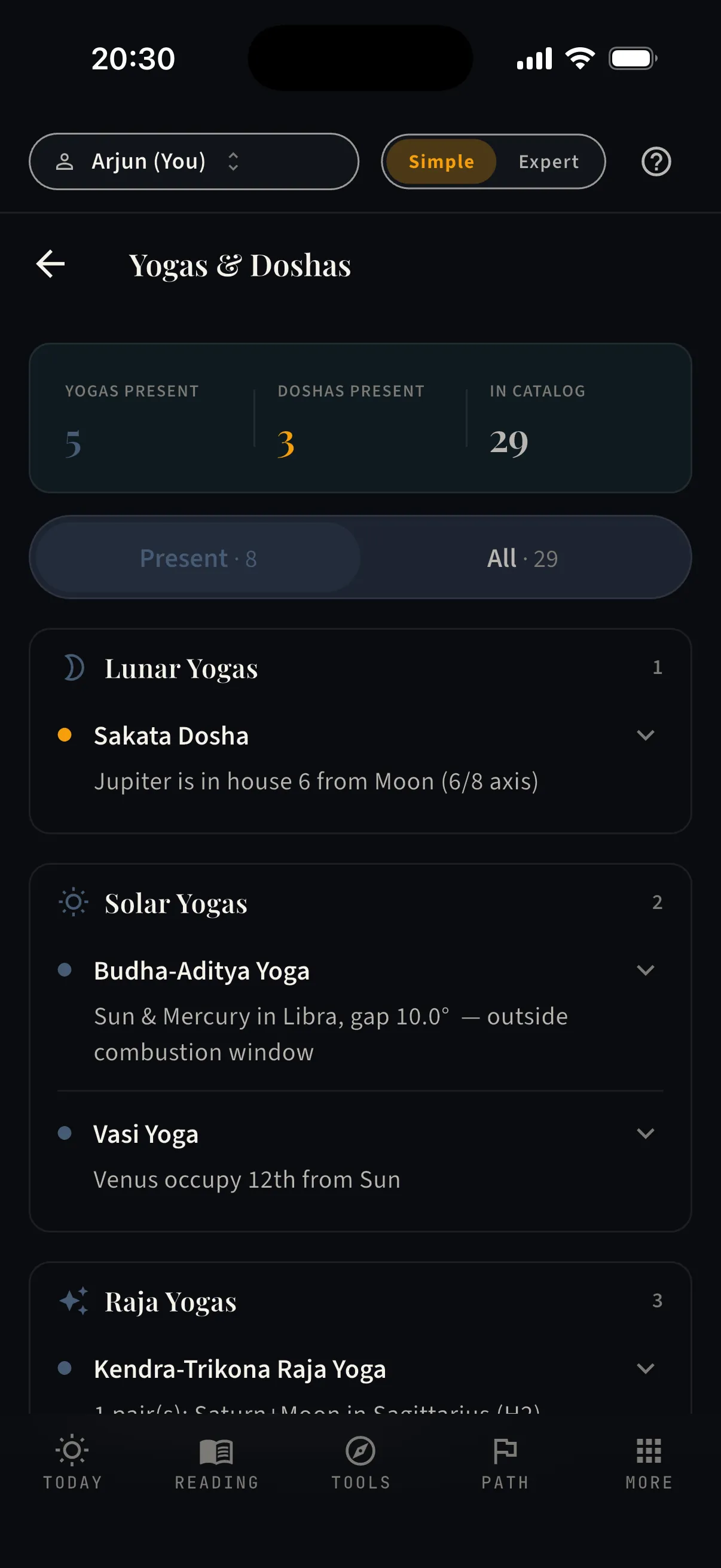
Twenty-nine classical signatures checked against the chart, each with its condition spelled out — present or not, no drama.
What the client reads is what you verify.
Simple mode writes the chart in plain language; Expert mode shows the same computation with nothing hidden. The two views always agree, because they read from the same ledger — so when a client asks “where does it say that?”, you flip one toggle and show them.
Yogas and doshas are checked against a catalogue of twenty-nine classical signatures. Each one shows its condition — Venus in Taurus in the seventh, own sign — so you can verify the claim, not take it on faith.
Read. Answer. Prepare. Keep score.
One toggle in the app, and the four moments of your practice have their instruments.
Read the philosophy →