Aatam Vision

“The chart is the question. The sky is the answer.”

The whole app, screen by screen

Everything inside, and how to use it.

Every image below is a real capture from the running app — not a mockup. Every screen has a link that opens it in your browser, so you can try each one the moment it interests you.

— Chapter I

Your day, computed.

Four screens that read the sky for you before you plan anything.

The first tab

Today — the screen that sets your morning

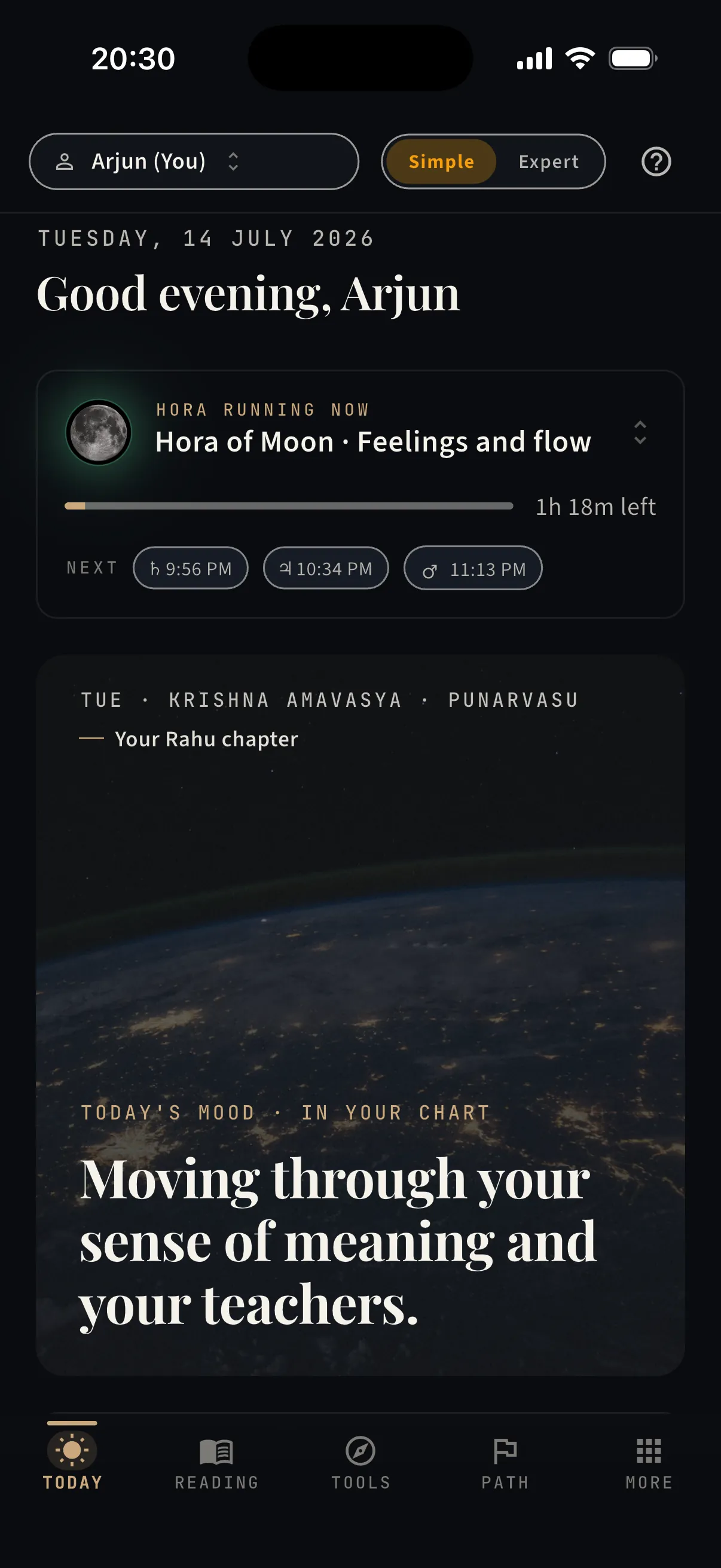
Open the app and the day is already read: the hour you’re in, the mood the Moon is making in your chart, and what’s coming.

  • ·The running planetary hour — what it favours, minutes remaining, and the next three hours with exact times
  • ·The day’s Moon chapter — weekday, tithi, and nakshatra, with the mood it makes in your chart
  • ·Today’s threads — the transits touching your natal points right now, ranked by exactness
  • ·Coming up — the next six weeks of sign changes and conjunctions that matter for you
  • ·Your running dasha chain with dates, and one suggested action window
Open Today — free, in your browser
Today — the screen that sets your morning — real capture from the app
The second tab

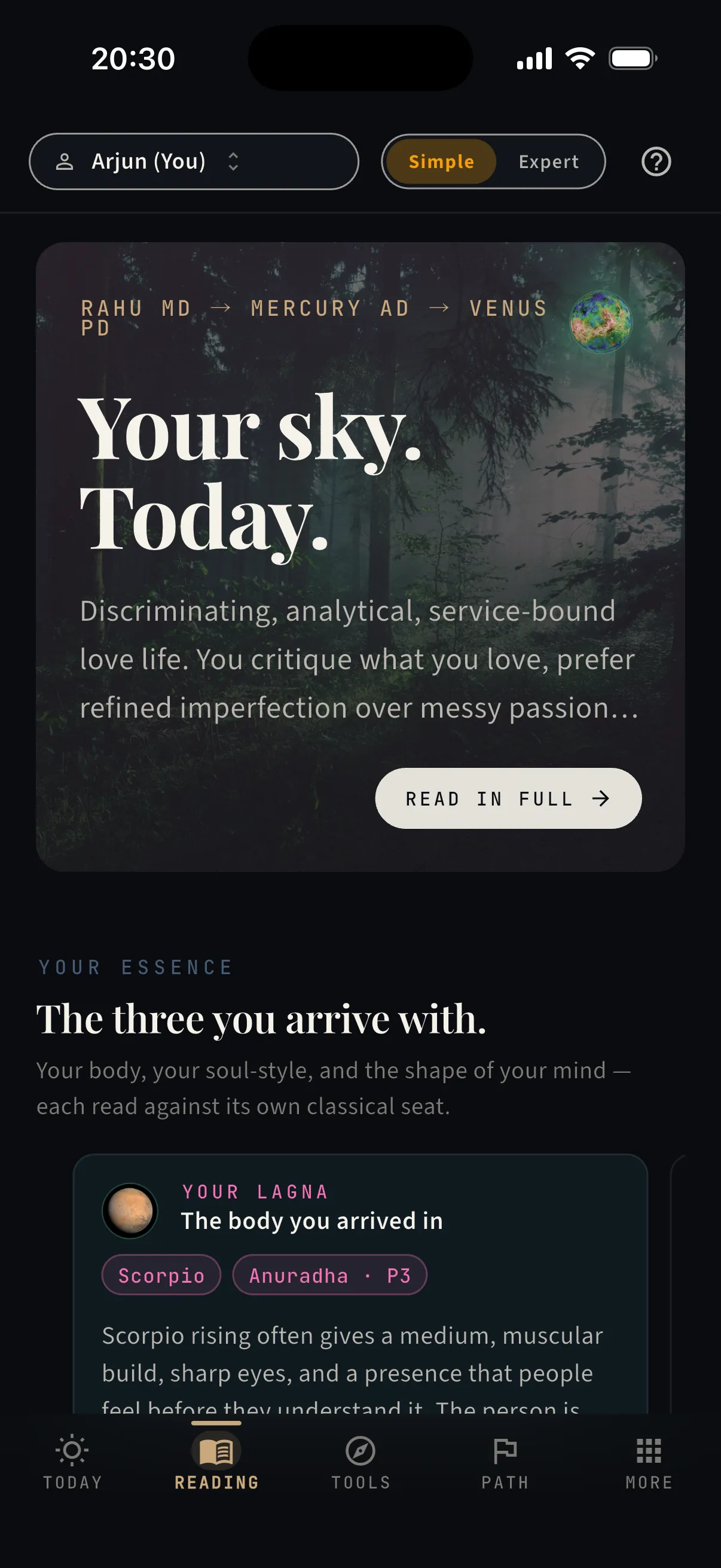
Reading — your whole chart, in plain language

Who you are, told like a magazine you’d actually read — every claim computed from your chart, none of it requiring a glossary.

  • ·A reading of the day, composed from what is live in your chart right now
  • ·Your essence — lagna, Sun, and Moon, each read against its classical seat
  • ·Twelve areas of your life as rooms you can walk into, one per house
  • ·Your nine planets on one rail, each with its dignity marked
  • ·Named yogas and strengths — and which dasha lords are running now
Open your Reading — free, in your browser
Reading — your whole chart, in plain language — real capture from the app
More · Sky now

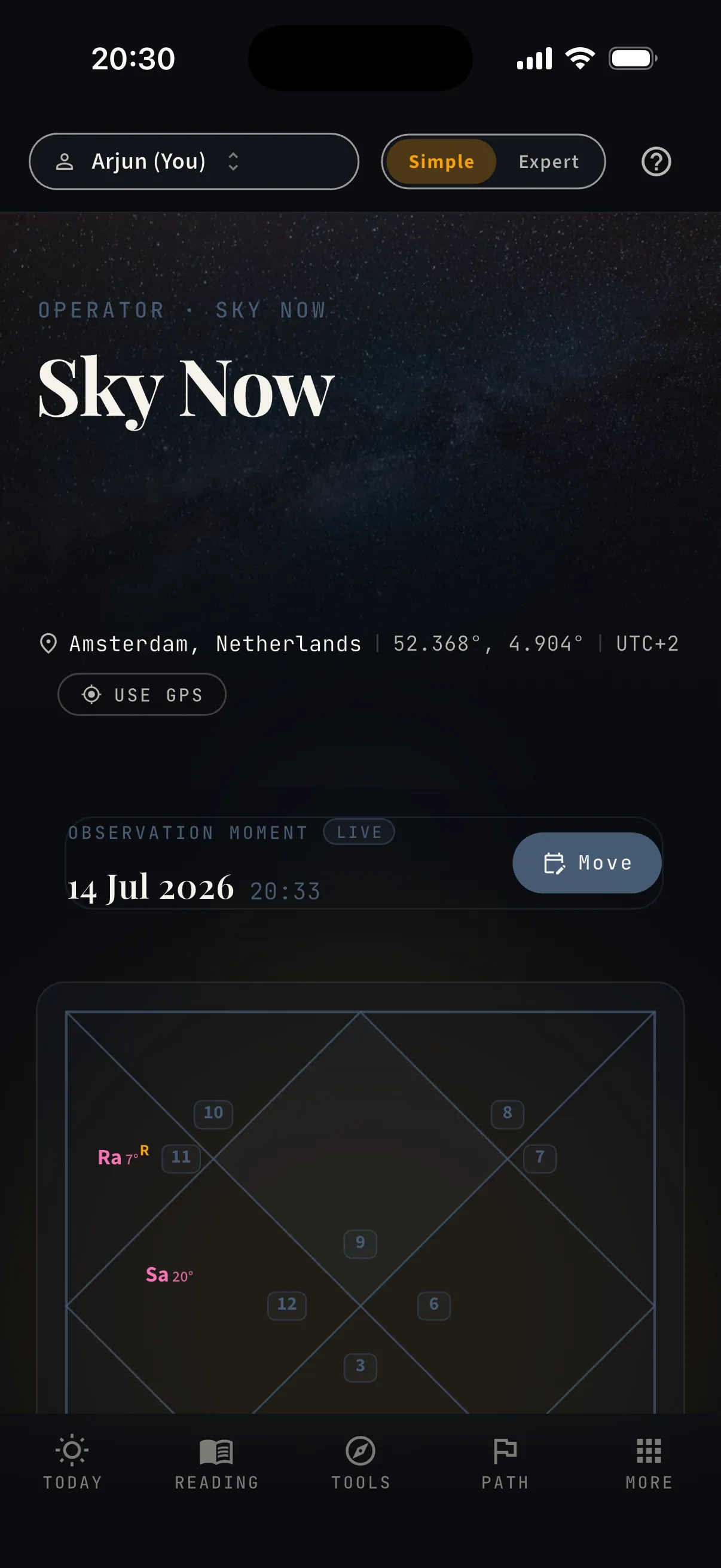
Sky Now — the chart of this exact minute

The sky over your head, drawn as a chart — before a meeting, a conversation, a decision.

  • ·The live chart for your exact coordinates — GPS or any place you set
  • ·An observation moment you can move to any date and hour
  • ·The same computed sky your daily reading is written from
See the sky now — free, in your browser
Sky Now — the chart of this exact minute — real capture from the app
Tools · Reference

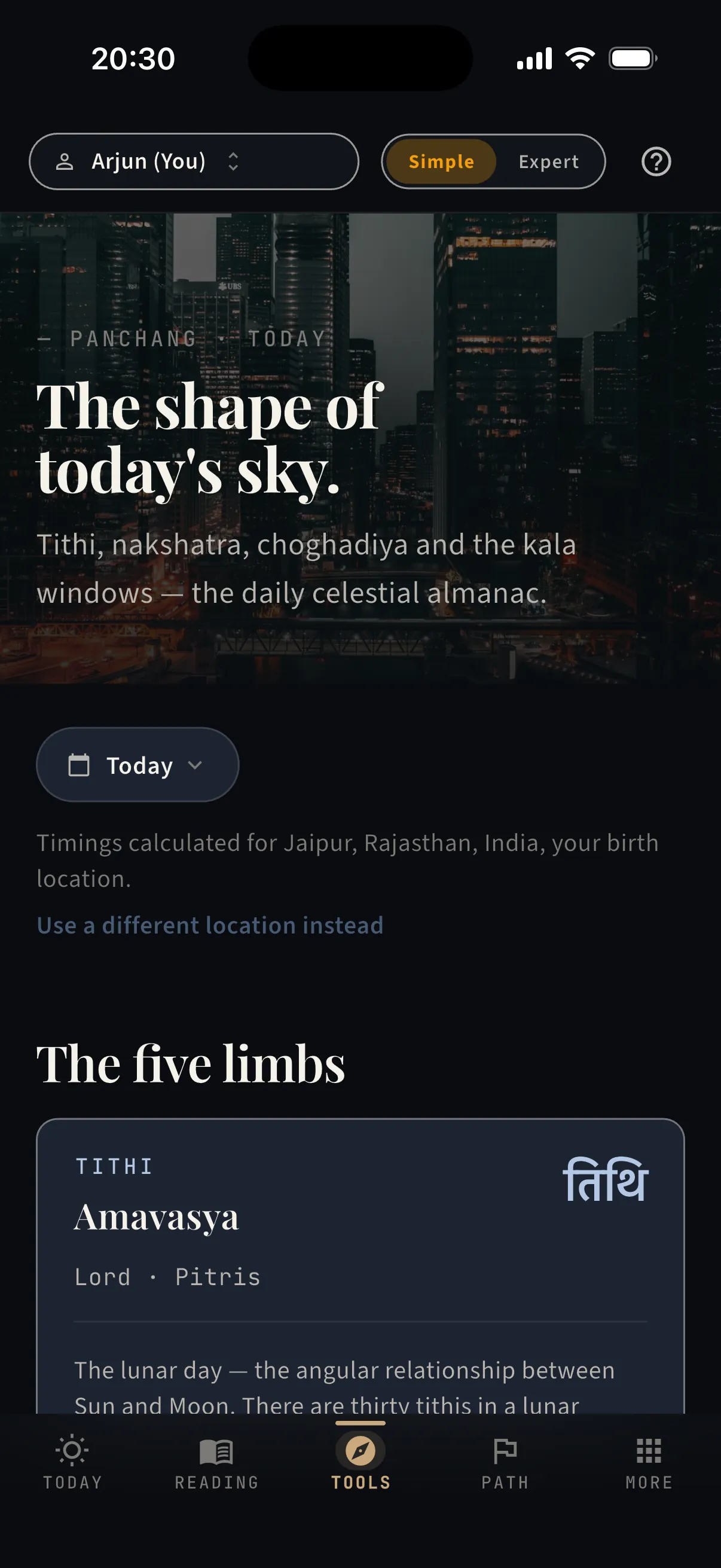
Panchang — the five limbs of today

The classical almanac, computed for your place — the day’s quality before you plan it.

  • ·Tithi, nakshatra, yoga, karana, and vara — all five limbs, exact for your location
  • ·The shape of today’s sky in one glance
  • ·The same panchang that runs across the Today screen
Read today’s Panchang — free, in your browser
Panchang — the five limbs of today — real capture from the app
— Chapter II

Decisions, dated.

Bring the call you’re weighing. Leave with a date, a verdict, or a score — and the reasoning behind it.

The third tab

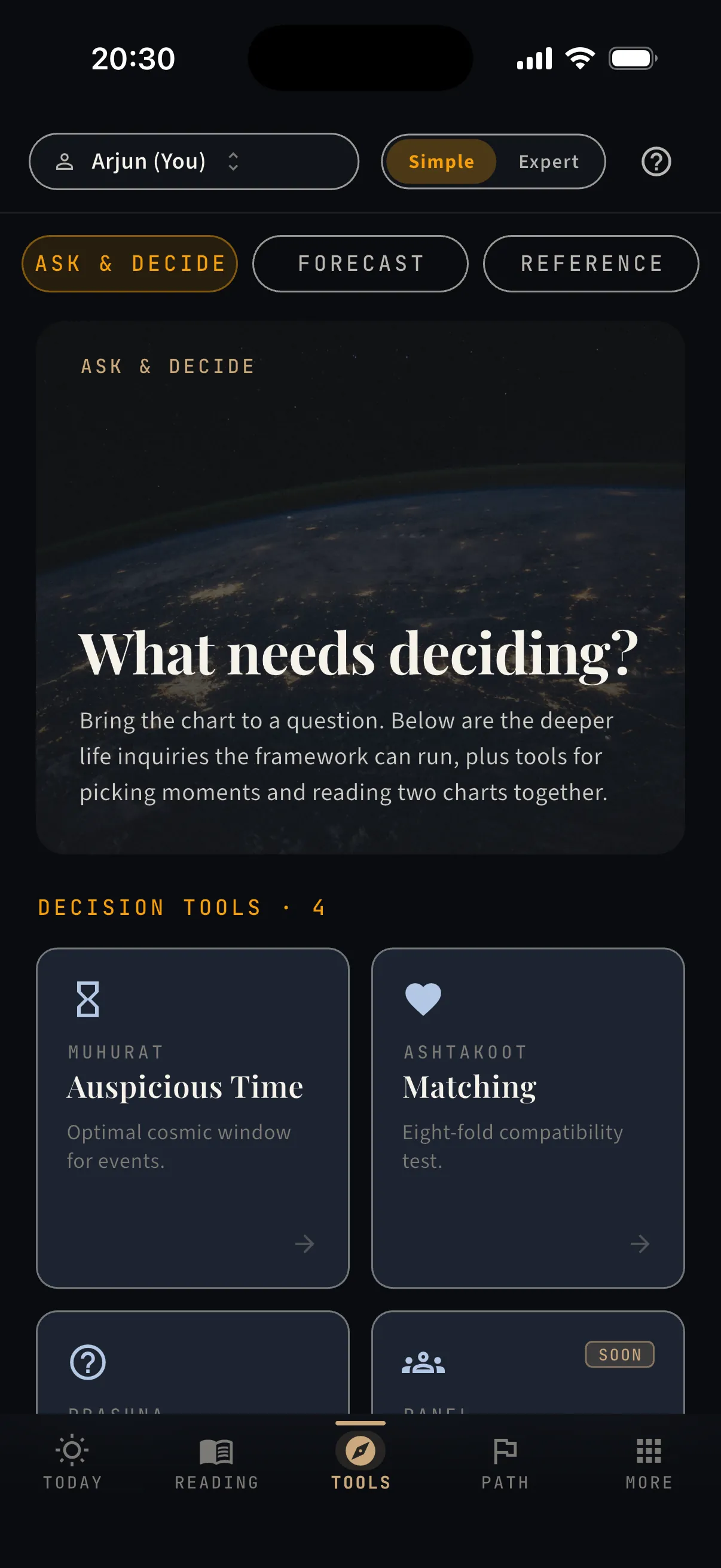
Tools — the shelf of instruments

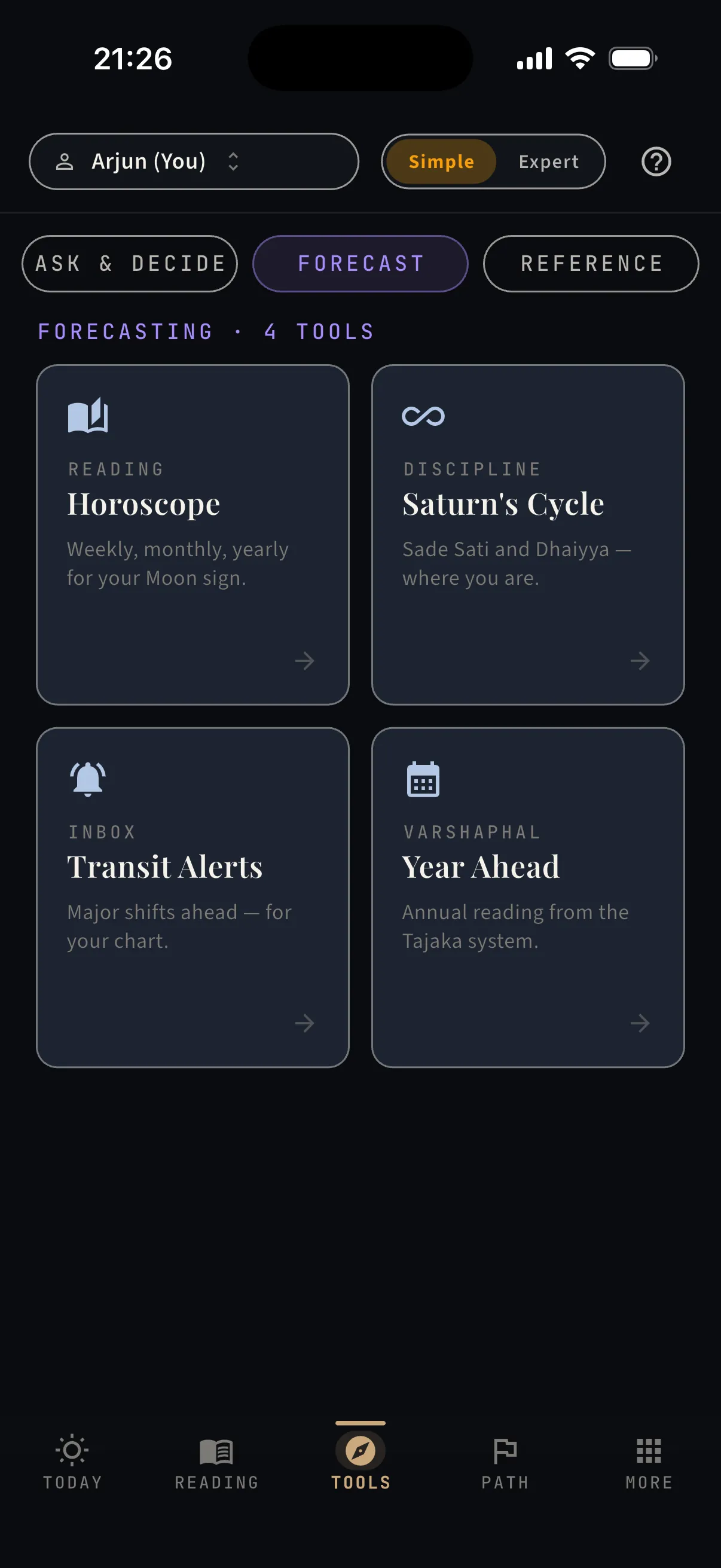
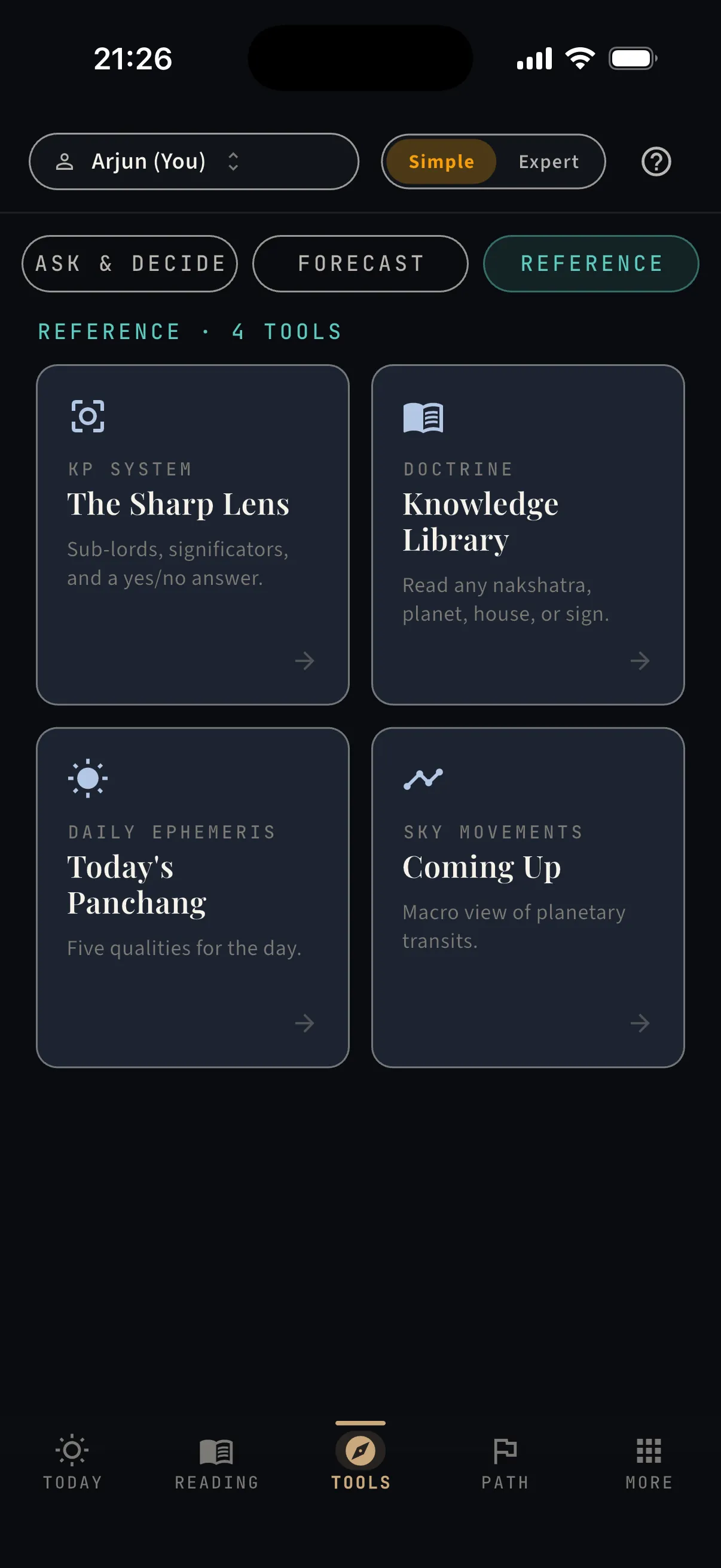
Three shelves — Ask & Decide, Forecast, Reference. Each tool answers a different kind of question.

  • ·Ask & Decide — Muhurat, Matching, Prashna, and the deeper life-area inquiries
  • ·Forecast — Horoscope, Saturn’s cycle, Transit alerts, Varshaphal
  • ·Reference — the KP lens, the Library, today’s Panchang, the transit calendar
Browse the Tools — free, in your browser
Tools — the shelf of instruments — real capture from the app
The Forecast shelf — real capture from the app
The Forecast shelf
The Reference shelf — real capture from the app
The Reference shelf
Tools · Ask & Decide

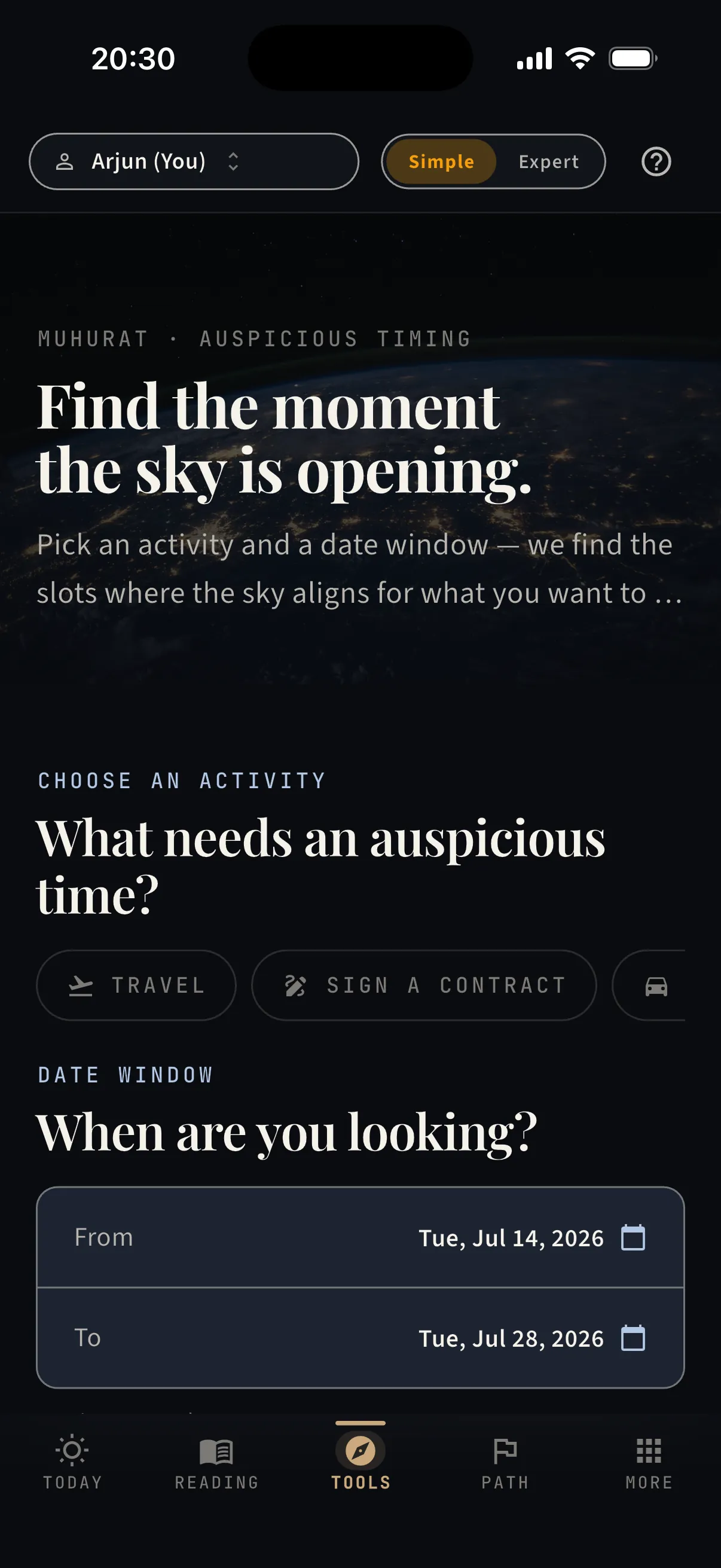
Muhurat — find the moment the sky is opening

Signing, travelling, launching — pick the activity and a date window, and the app finds the slots where the sky aligns for it.

  • ·Activities with their own classical rules — travel, contracts, ventures, and more
  • ·A from–to date window you control
  • ·Computed slots ranked by quality — with the honest windows to avoid
Find a window — free, in your browser
Muhurat — find the moment the sky is opening — real capture from the app
Tools · Ask & Decide

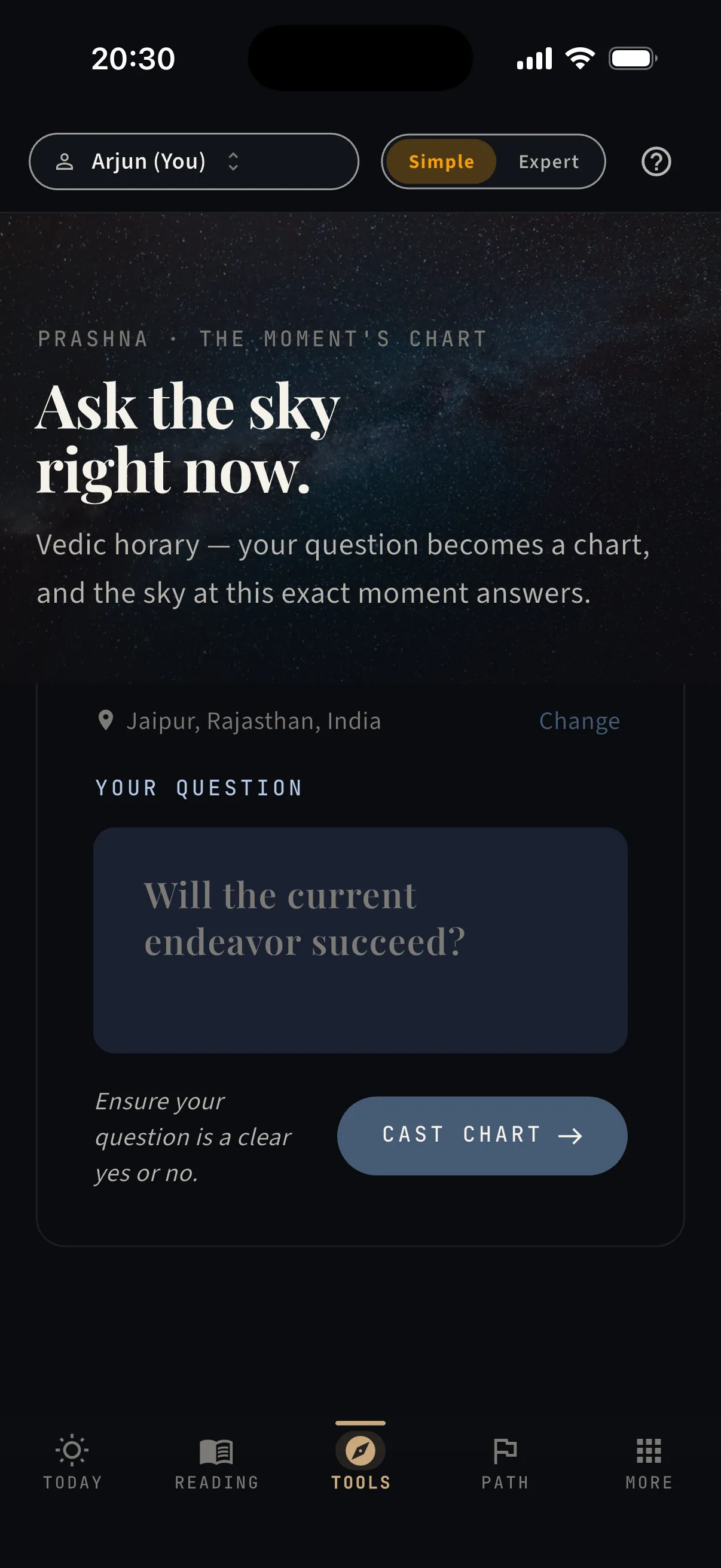
Prashna — ask the sky, right now

Vedic horary. A clear yes-or-no question becomes a chart cast for this exact moment — and the moment answers.

  • ·Your question, your location, this minute — that is the whole chart
  • ·A classical horary verdict, not a mood reading
  • ·Best for questions you can phrase as yes or no
Cast a Prashna — free, in your browser
Prashna — ask the sky, right now — real capture from the app
Tools · Ask & Decide

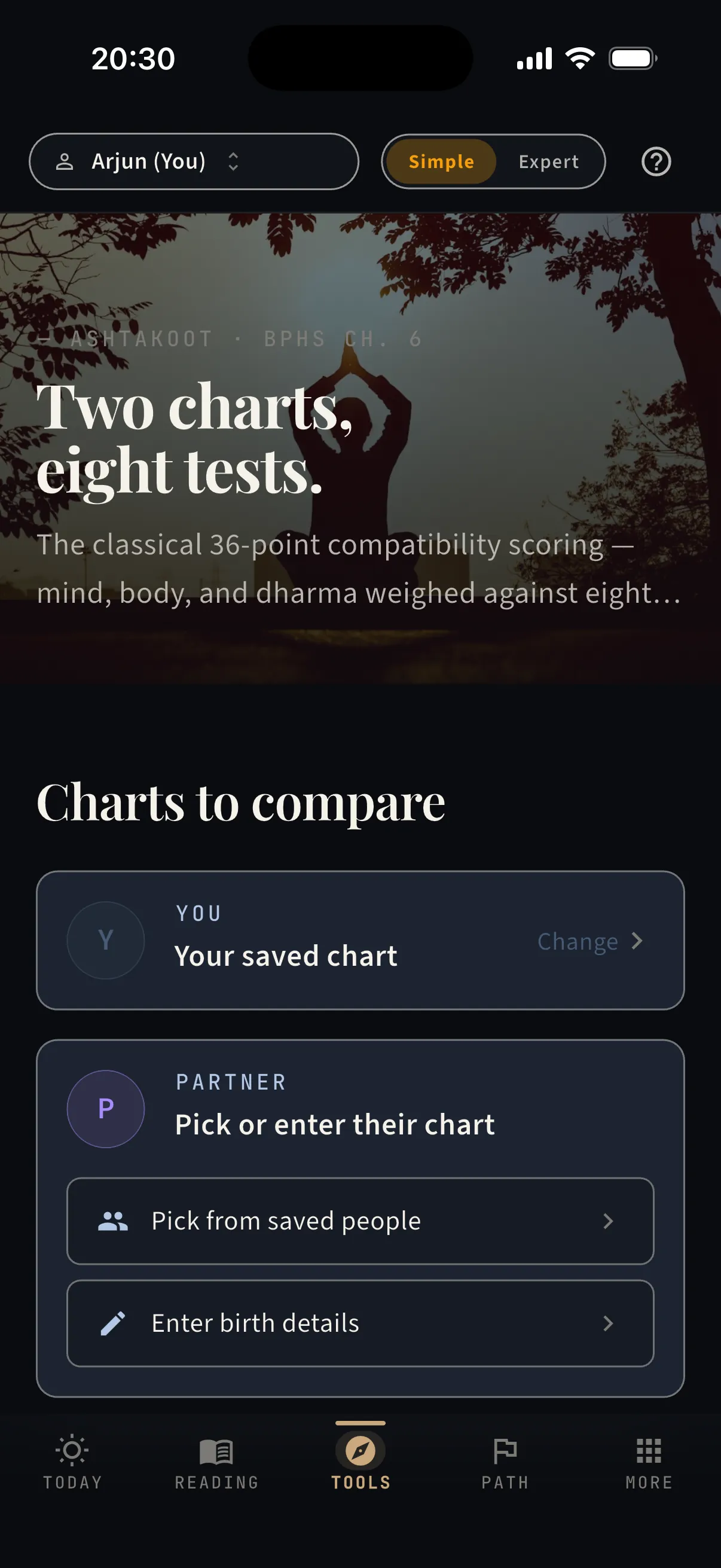
Matching — two charts, eight tests

The classical 36-point compatibility reading — mind, body, and dharma weighed across eight dimensions, for any two charts you hold.

  • ·You on one side — anyone saved, or fresh birth details, on the other
  • ·All eight koots scored, with what each one measures
  • ·A total out of 36 — and what the number does and doesn’t mean
Run a match — free, in your browser
Matching — two charts, eight tests — real capture from the app
— Chapter III

The seasons ahead.

Three ways to look forward — a week, a year, or a whole Saturn season.

Tools · Forecast

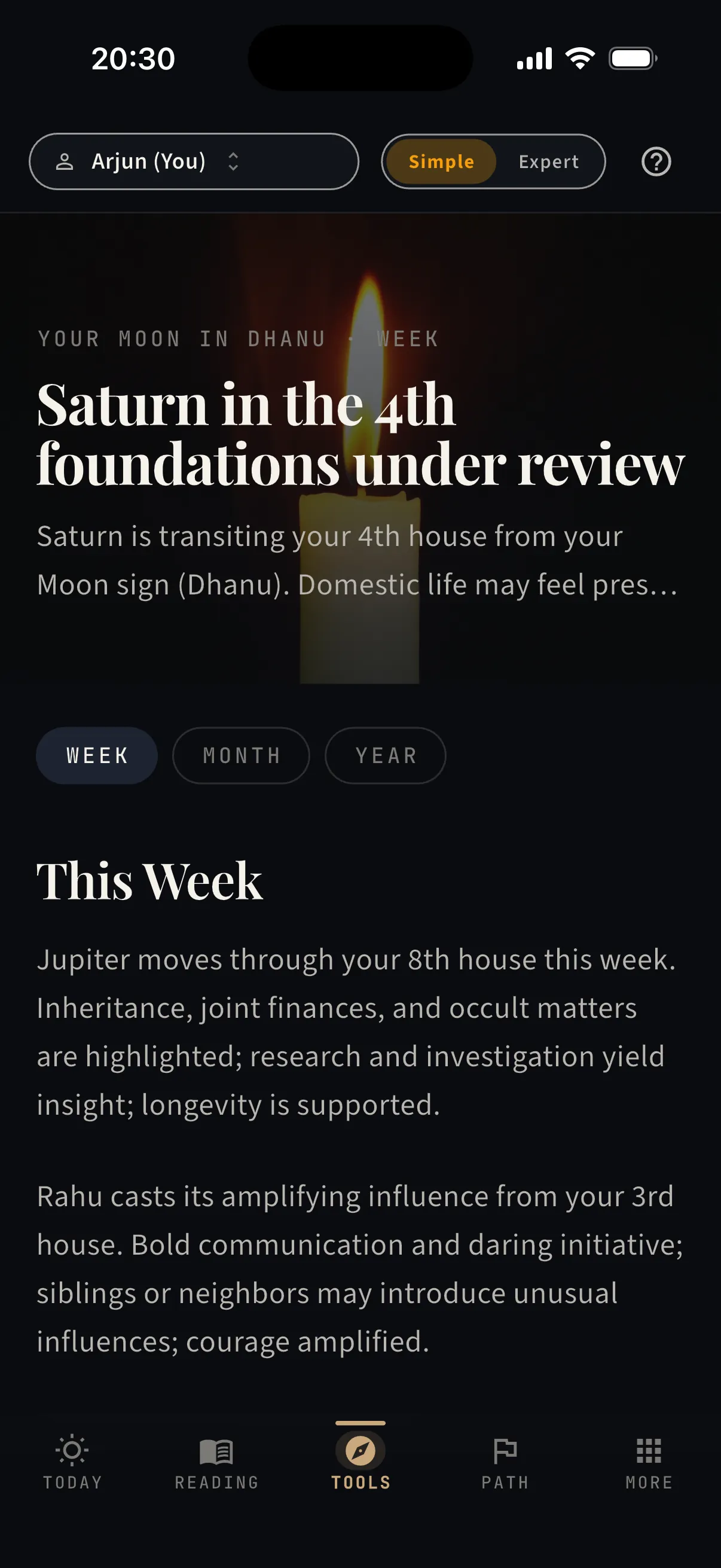
Horoscope — your week, month, and year

Written from your Moon sign and the actual transits crossing it — not a newspaper column for a twelfth of humanity.

  • ·Week, month, and year views — one tap apart
  • ·A theme headline, then the transits behind it, one by one
  • ·Each claim tied to the planet and house making it
Read your week — free, in your browser
Horoscope — your week, month, and year — real capture from the app
Tools · Forecast

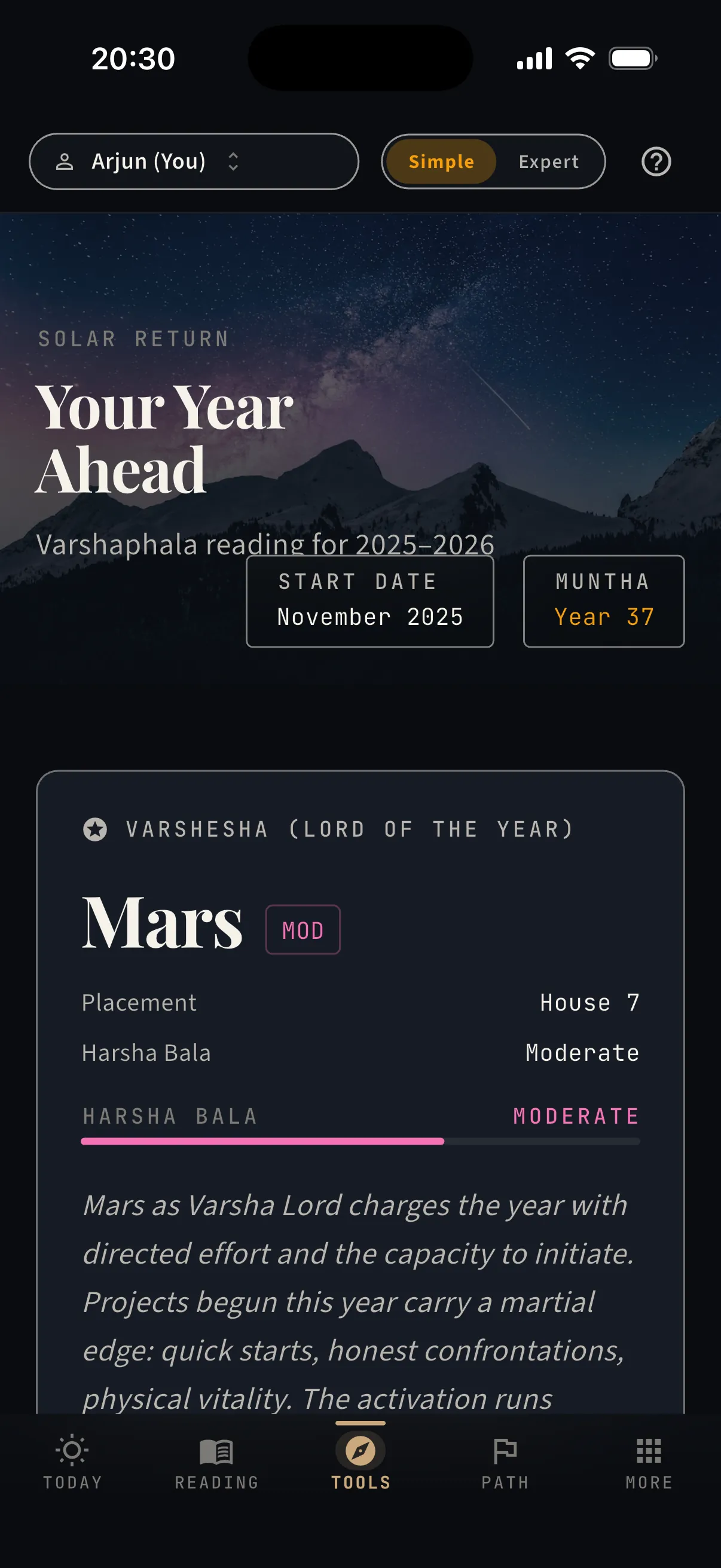
Varshaphal — the year from your solar return

The Sun returns to its birth degree once a year — and that chart carries the year’s themes.

  • ·Your personal year’s start date and the chart cast for it
  • ·The year lord (varshesha) with its strength assessed
  • ·Muntha and the year’s emphasis, house by house
See your year ahead — free, in your browser
Varshaphal — the year from your solar return — real capture from the app
Tools · Forecast

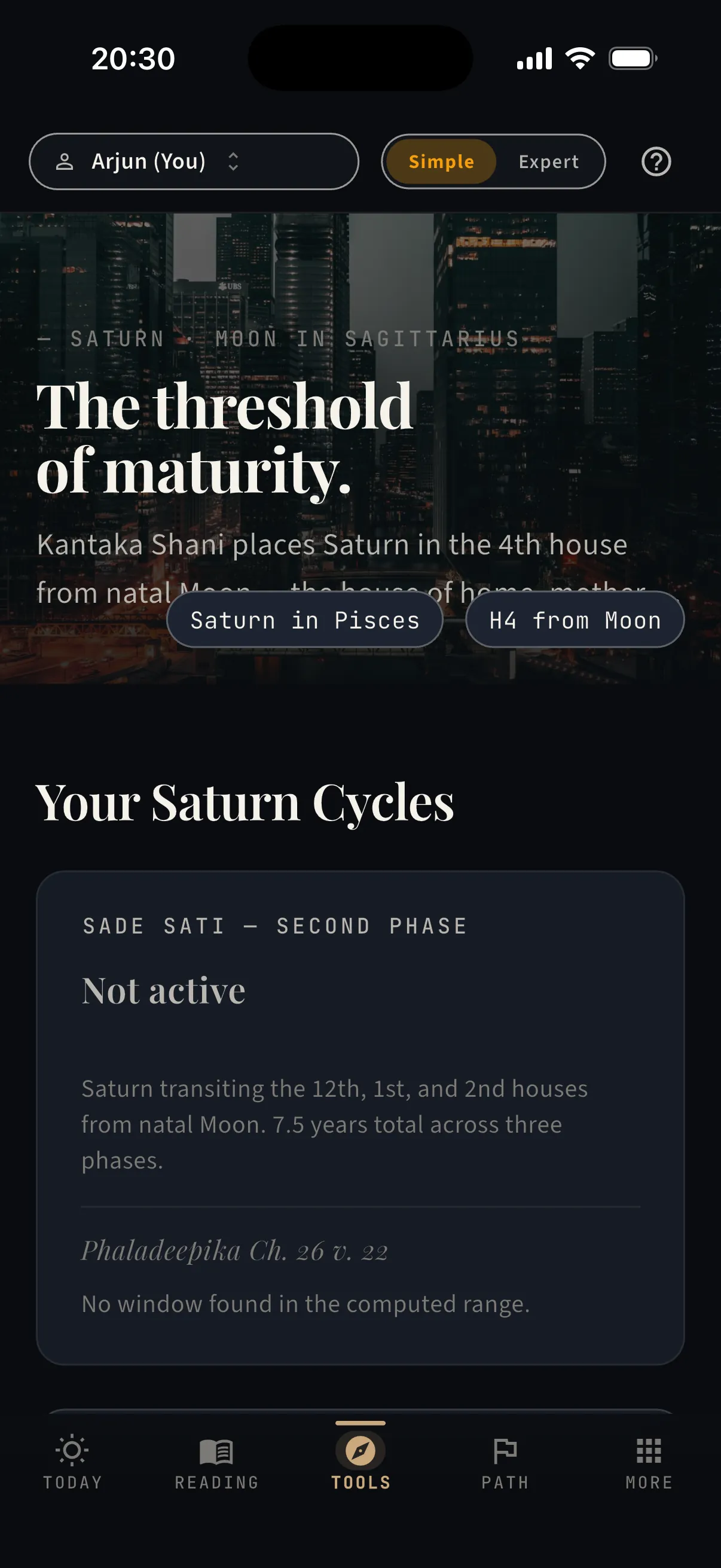
Saturn’s cycle — Sade Sati, with dates

The seven-and-a-half-year Saturn season lands differently in every chart. Know your phase and your dates — not a rumour of doom.

  • ·Your current phase — rising, peak, or setting — named, with its end date
  • ·Intensity assessed for your chart specifically
  • ·Past and future cycles on one band, cited to the classical source
Check your Saturn — free, in your browser
Saturn’s cycle — Sade Sati, with dates — real capture from the app
— Chapter IV

Your people, your path.

The chart is better company when it holds the people and plans you actually live with.

More · Manage people

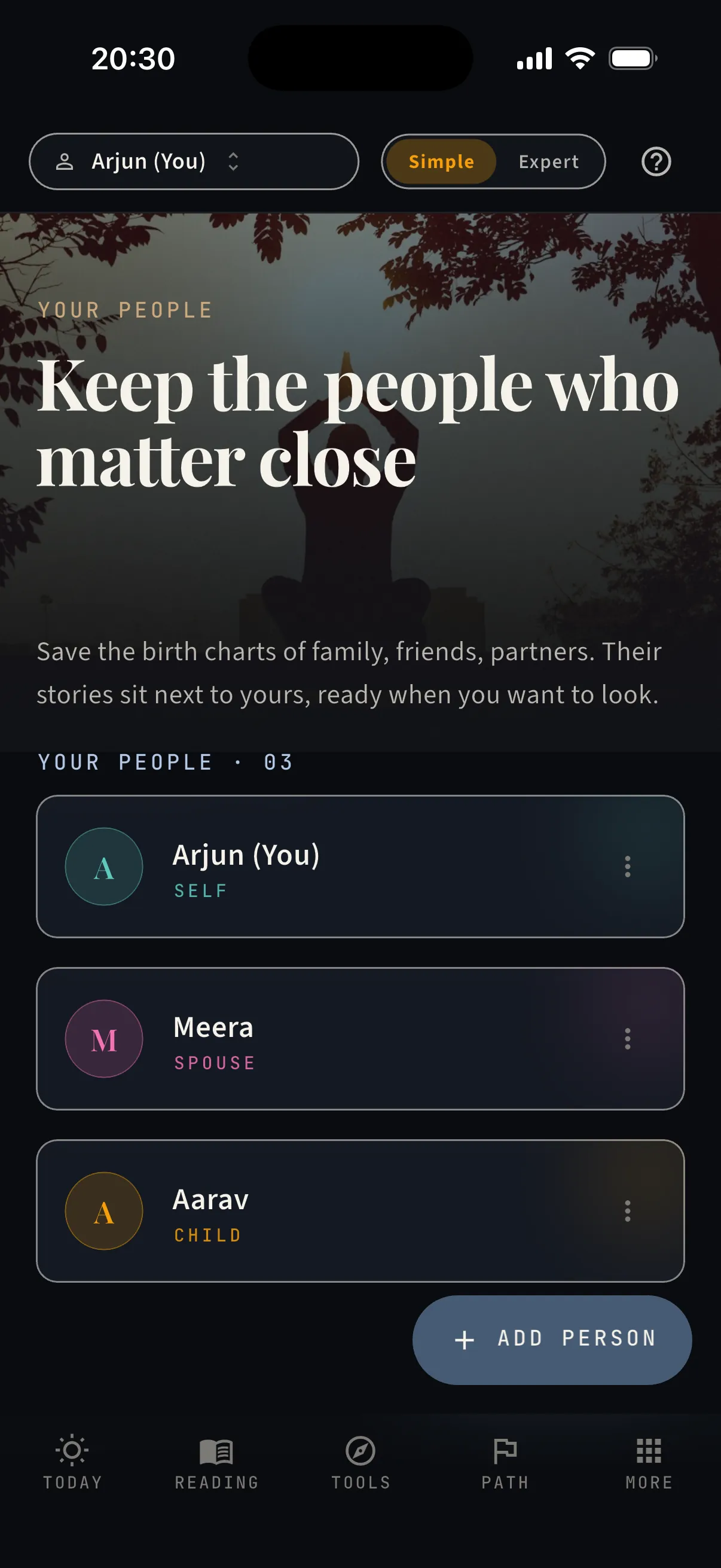
People — the charts you keep

Your partner, your parents, your children, your closest friends — each with the same depth you get. Tap a person and the whole app shifts into their context.

  • ·A roster with relationships — self, spouse, child, parent, sibling, friend
  • ·Every person gets their own Today, Reading, Tools, and Path
  • ·Switch who you’re viewing from the header, anywhere in the app
  • ·Run a match between any two of them in one tap
Add your people — free, in your browser
People — the charts you keep — real capture from the app
The fourth tab

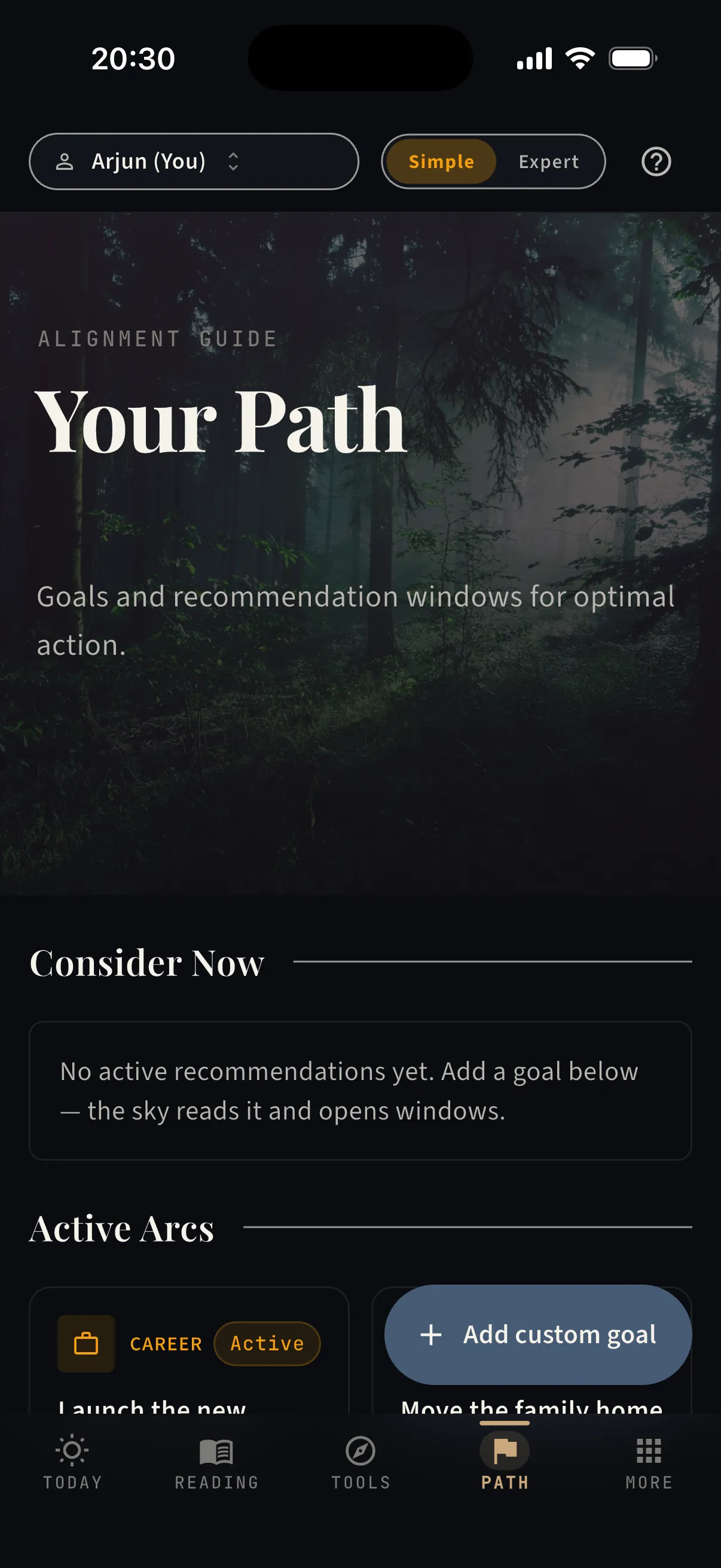
Path — your goals, with windows to act

Tell the app what you’re building. It reads the sky against your chart and opens windows for each goal.

  • ·Active arcs — your goals, each grounded in its classical houses and karakas
  • ·“Consider now” — recommendations that surface when a real window approaches
  • ·Suggested arcs for the next twelve months, one tap to adopt
  • ·Notes and outcomes stay on the goal, so the story accumulates
Start your Path — free, in your browser
Path — your goals, with windows to act — real capture from the app
— Chapter V

Go as deep as you like.

The simple surface never lies to you — and the depth underneath it is always one tap away.

More · Yogas & Doshas

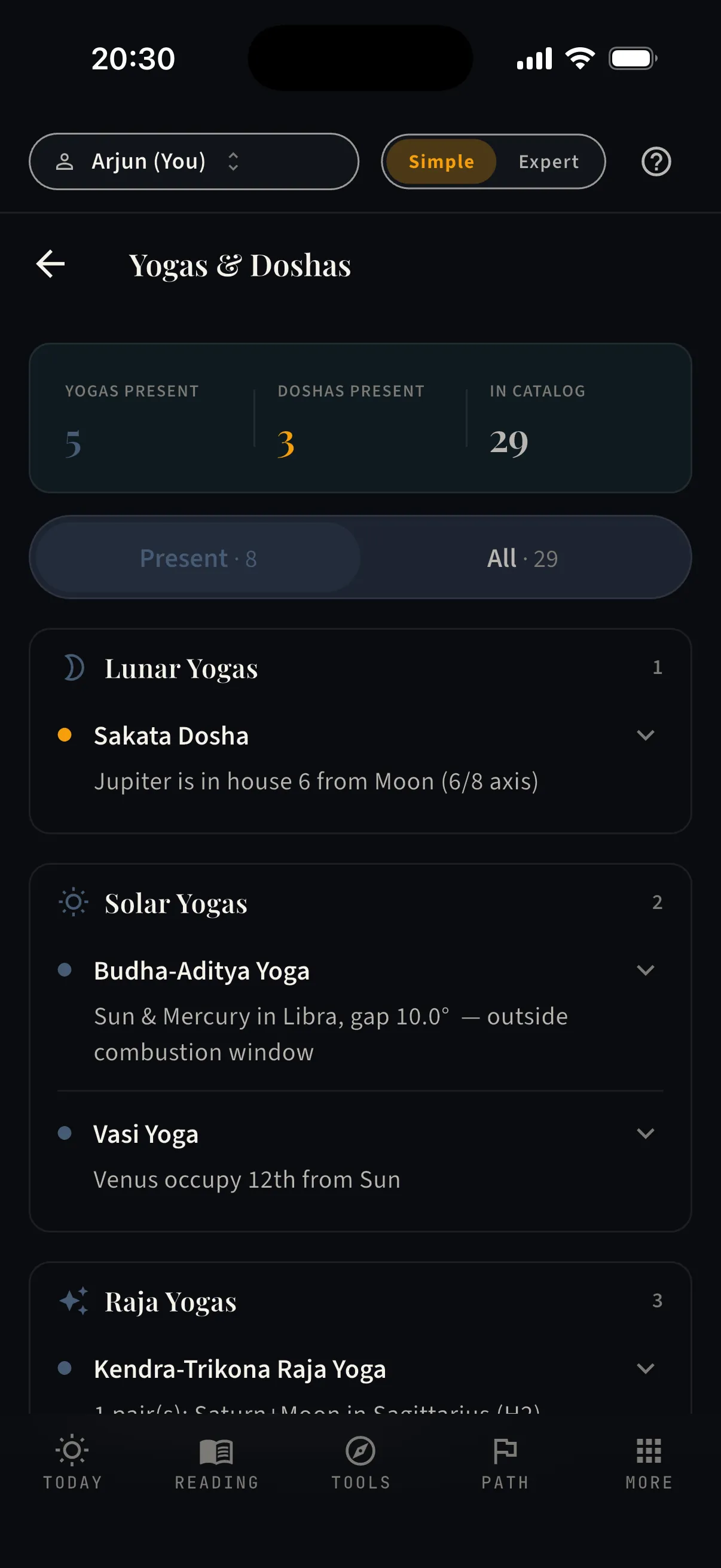
Yogas & Doshas — 29 signatures, checked

Which classical combinations your chart actually carries — each with its condition spelled out, so you can verify the claim.

  • ·A catalogue of 29 yogas and doshas, checked against your chart
  • ·Present ones first — with the exact placement that forms them
  • ·Grouped by family — Pancha Mahapurusha, lunar, solar, Raja, and more
See your yogas — free, in your browser
Yogas & Doshas — 29 signatures, checked — real capture from the app
More · Library

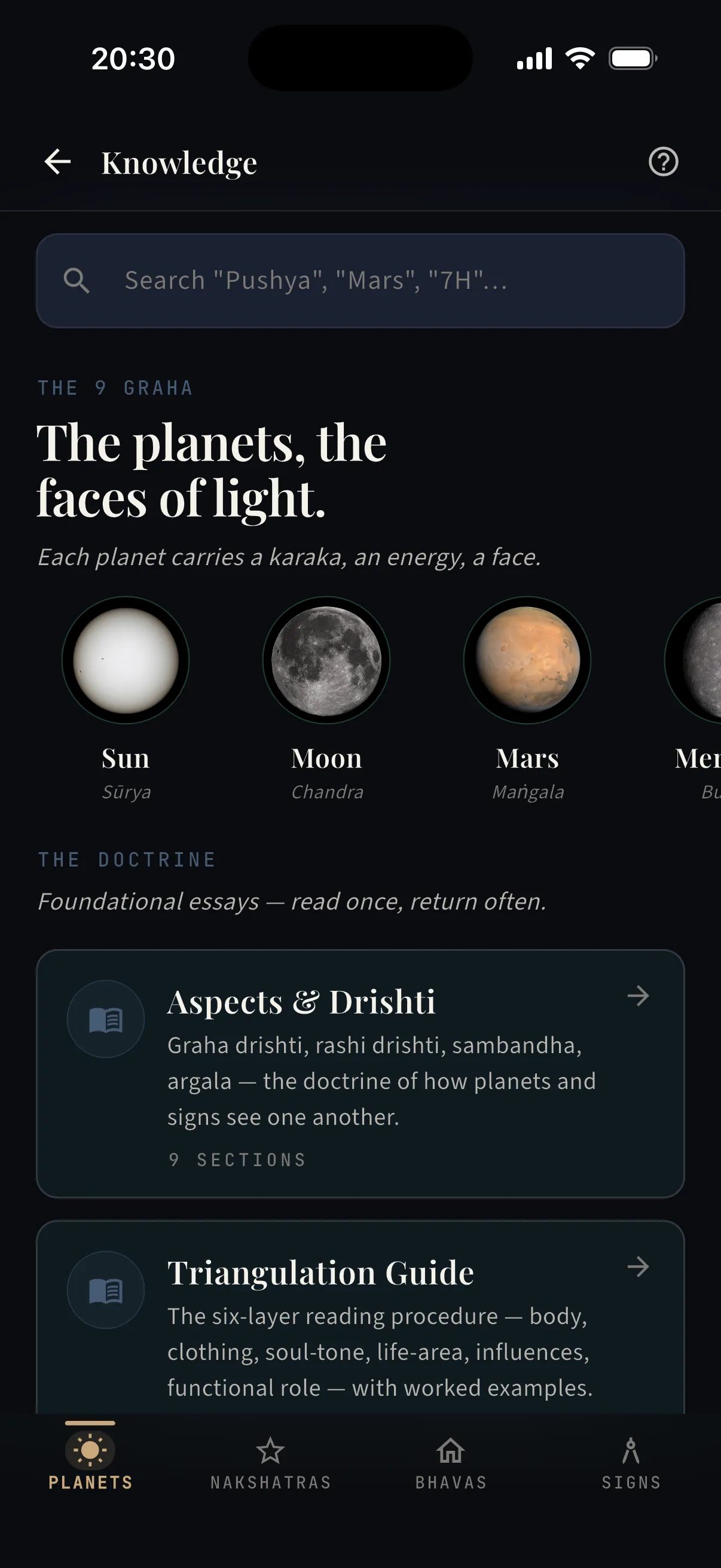
The Library — the doctrine, searchable

Planets, houses, nakshatras, yogas — the reference your readings cite, in your pocket instead of on a shelf.

  • ·Every planet, house, sign, and nakshatra as a readable entry
  • ·Search that takes you straight to the concept behind a reading
  • ·The same knowledge base the app’s own copy is grounded in
Open the Library — free, in your browser
The Library — the doctrine, searchable — real capture from the app
The header toggle

Expert mode — the full workbench

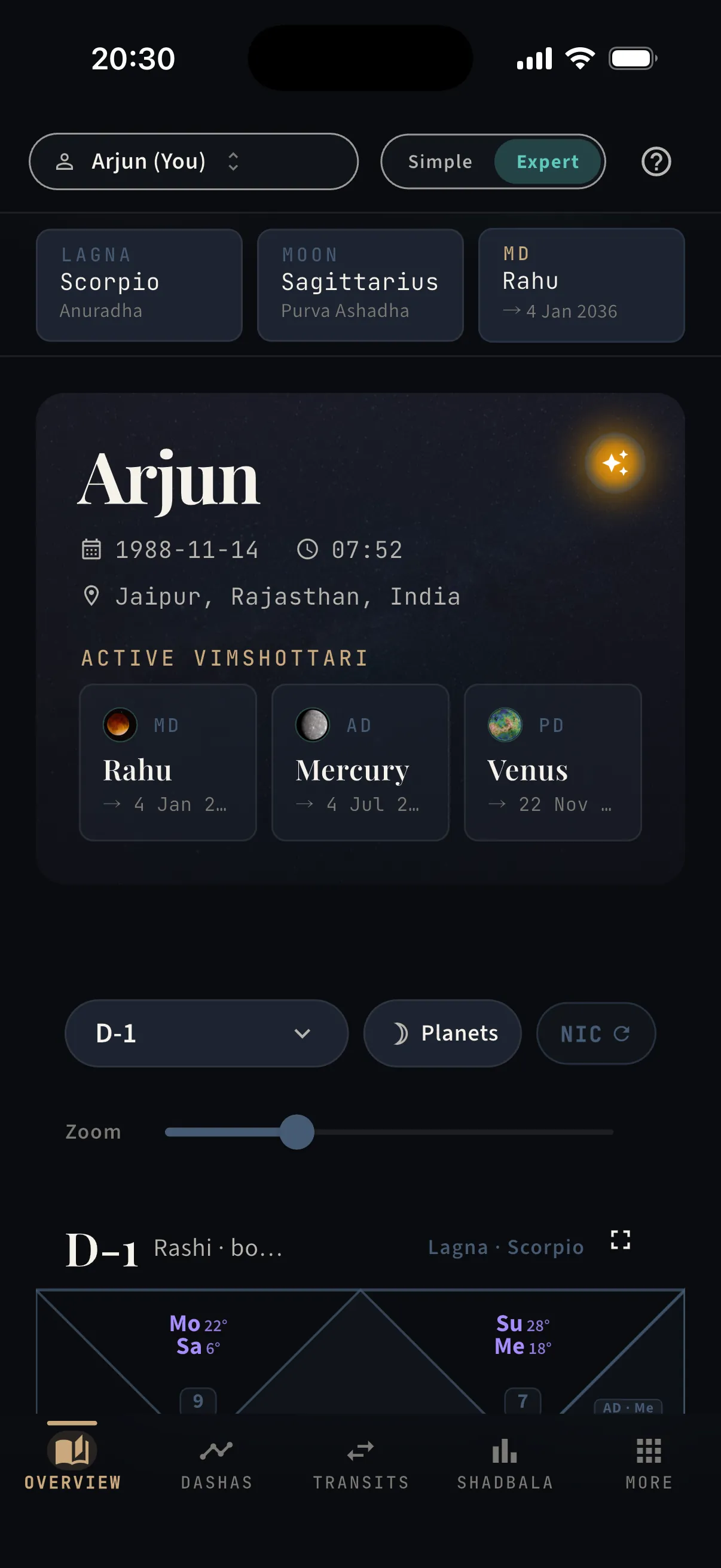
One toggle, and the same chart opens as a practitioner’s bench — nothing hidden, everything computed.

  • ·Lagna, Moon, and the running dasha pinned above the chart
  • ·All sixteen vargas, D-1 to D-60, plus Bhav Chalit — North or South Indian style
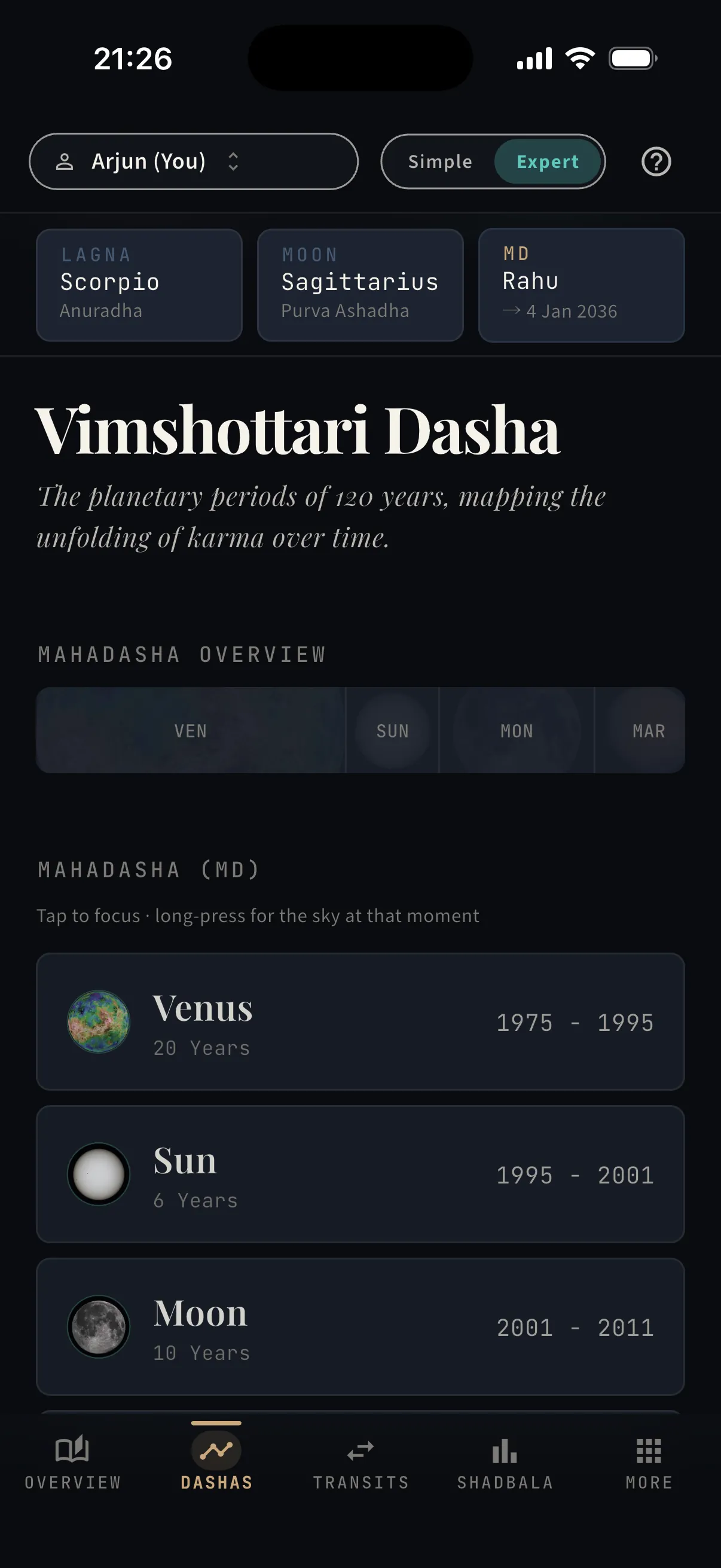
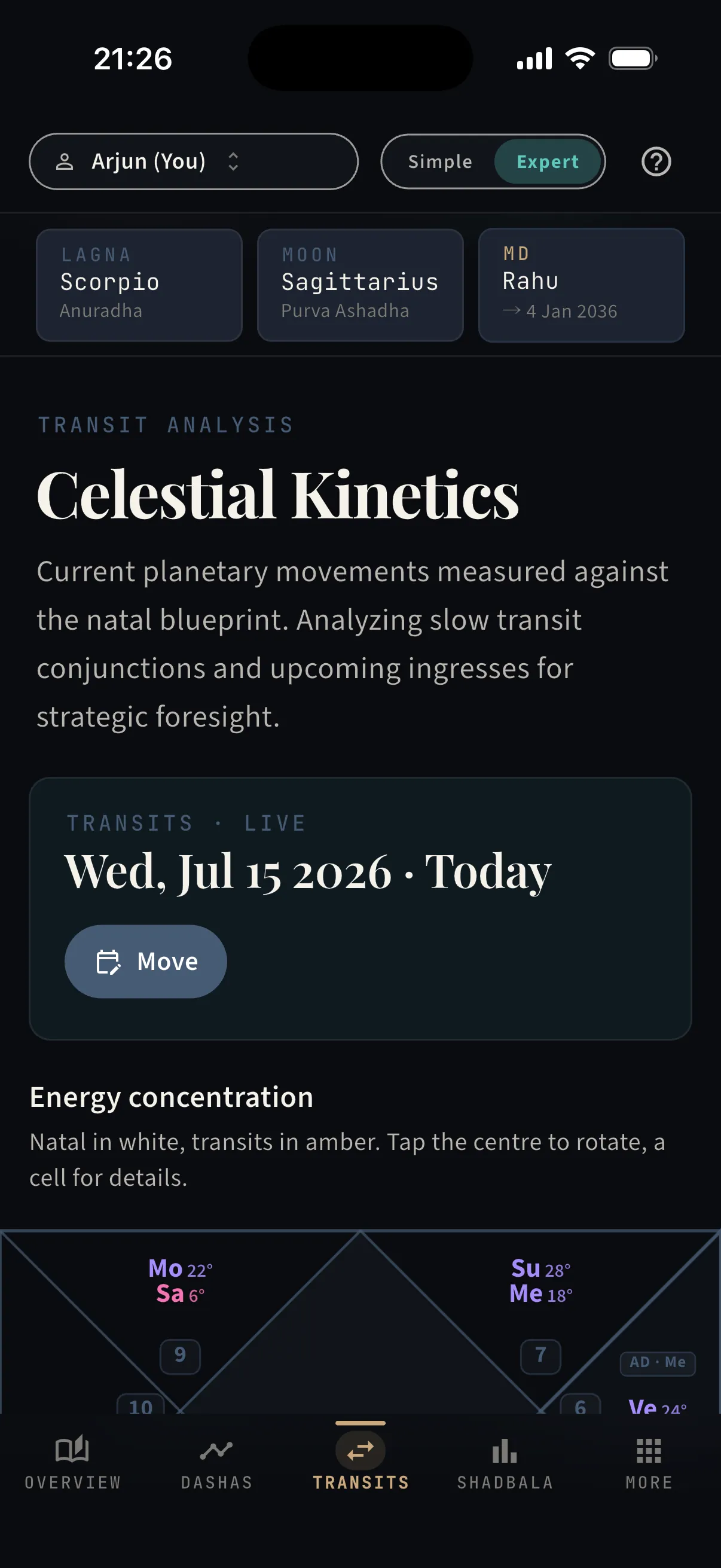
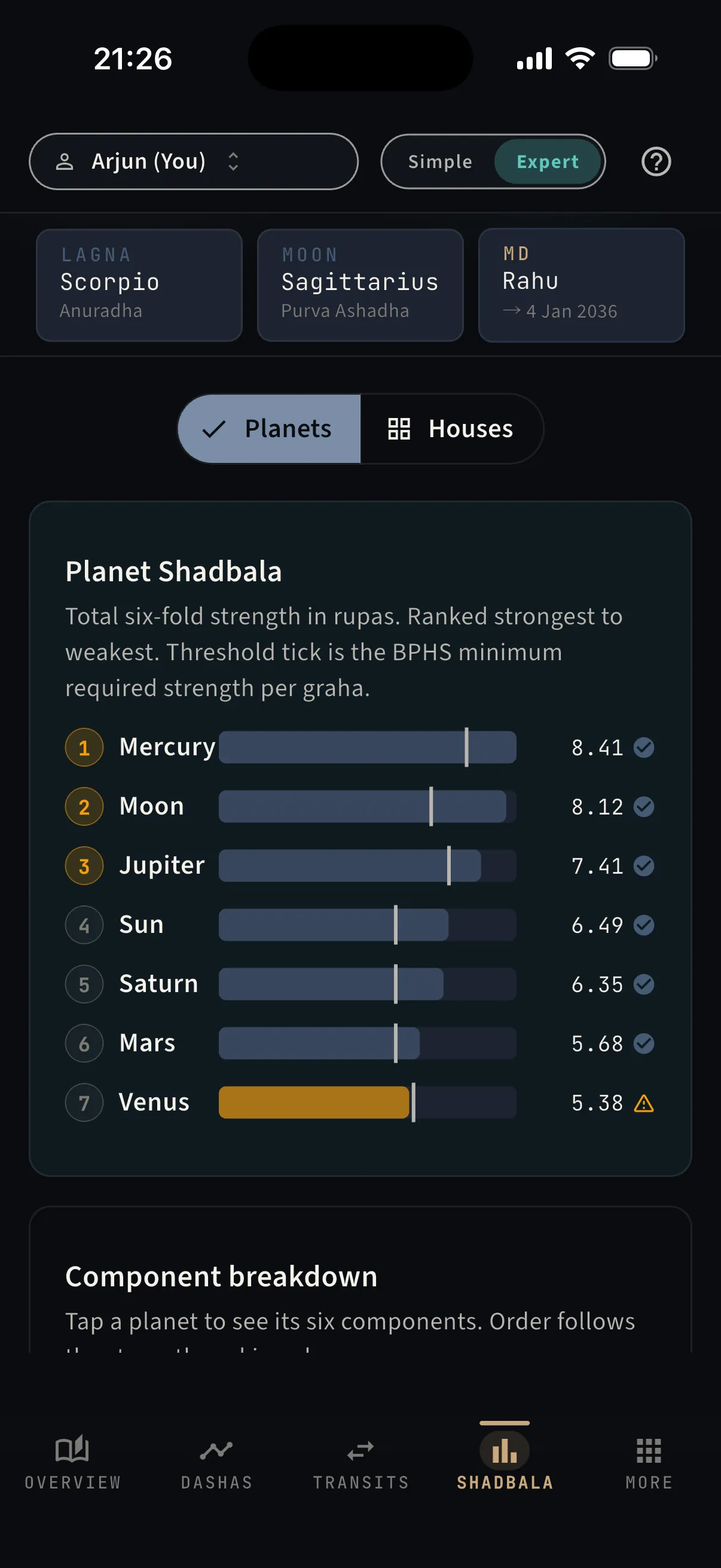
  • ·Vimshottari three levels deep, transits, and Shadbala as workbench tabs
  • ·The KP lens — sub-lords, significators, and number-based horary
  • ·And the amber orb — the sky scrubber below
Flip to Expert — free, in your browser
Expert mode — the full workbench — real capture from the app
The Dashas tab — real capture from the app
The Dashas tab
The Transits tab — real capture from the app
The Transits tab
The Shadbala tab — real capture from the app
The Shadbala tab
The breakthrough
Expert mode · the sky scrubber

Hold time in your hand.
Drag it, and watch the sky move.

On the chart workbench there is a small amber orb, quietly pulsing. Press it, and the screen becomes the sky itself.

Drag left or right and time rolls under your finger — days, weeks, months. Every planet glides through the houses with its true motion, retrograde loops included, while your natal points stay pinned where they were born. The dasha clock at the top keeps pace: scrub into next spring and watch the sub-period change as you cross it.

  • Real ephemeris positions for every day you cross — nothing sketched, nothing approximated
  • Follow any planet, Sun to Ketu — its degree, nakshatra, and pada update as it moves
  • The MD · AD · PD strip runs live while you scrub — watch a sub-period turn over
  • Two frames: the North Indian diamond, or an Earth-centred orbit wheel
  • Your natal points stay pinned — watch a transit apply to them degree by degree
  • A fine-scrub slider under the chart for landing on an exact day

“When does Saturn reach my Moon?” used to mean tables and mental arithmetic. Here, you drag until it happens — the date is on the screen when it does.

Try the scrubber in the app
Recorded from the running app: following Saturn with its aspects drawn, dragging time forward, then switching to the orbit frame — watch the date, the degrees, and the dasha strip move together.
Every control, explained

Nothing hidden — the whole room, one sheet away.

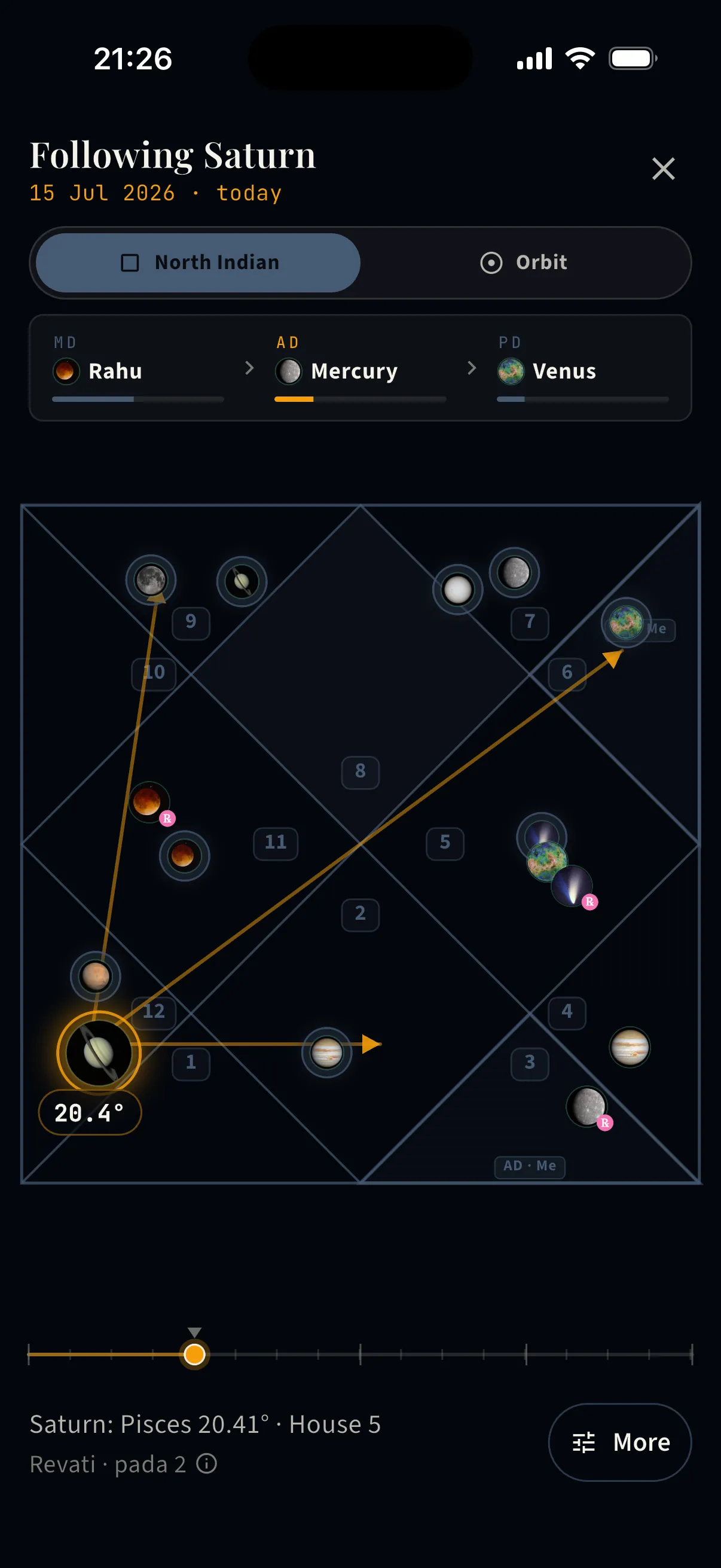
Aspects, drawn live — Following Saturn with drishti highlighted — its 3rd, 7th, and 10th aspects drawn as arrows that track the planet while time moves.
Aspects, drawn live

Following Saturn with drishti highlighted — its 3rd, 7th, and 10th aspects drawn as arrows that track the planet while time moves.

  • ·Classical special aspects for Mars, Jupiter, and Saturn
  • ·The followed planet stays haloed, with its exact degree
  • ·Nakshatra and pada printed below, updating as it moves
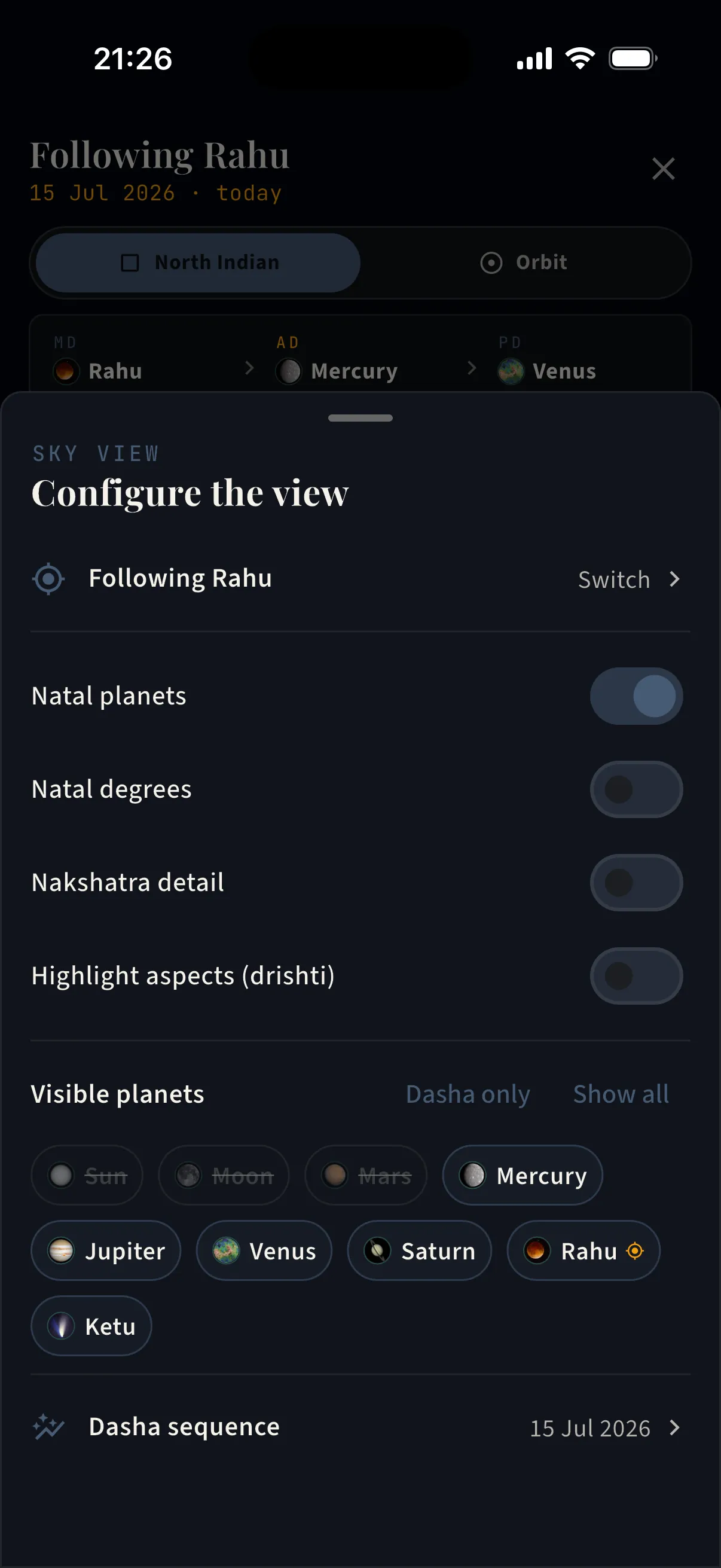
Configure the view — One sheet holds every option — set the sky up the way you read it.
Configure the view

One sheet holds every option — set the sky up the way you read it.

  • ·Switch the followed planet at any time
  • ·Toggles: natal planets · natal degrees · nakshatra detail · aspect highlighting
  • ·Choose visible planets — chip by chip, or “Dasha only” / “Show all” in one tap
  • ·Jump into the full dasha sequence for the scrubbed date
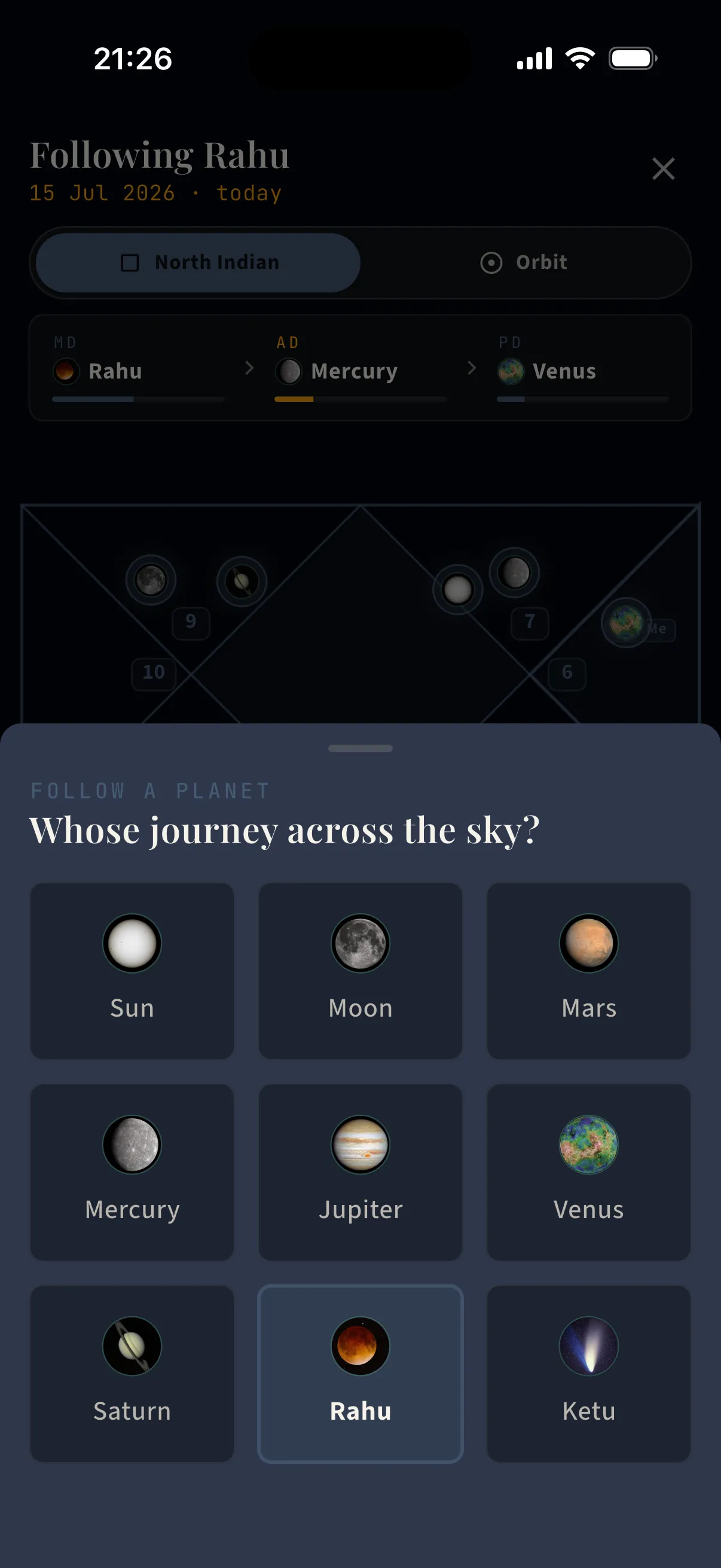
Whose journey? — The follow picker — all nine grahas, one tap to ride along with any of them.
Whose journey?

The follow picker — all nine grahas, one tap to ride along with any of them.

  • ·Sun through Ketu, each with its real imagery
  • ·The view re-anchors on the chosen planet instantly
  • ·Its degree, sign, house, nakshatra, and pada stay on screen
Begin

Every screen above is two minutes away.

Enter a birth moment, and all of it starts reading your chart.